Transport billing software
Transport billing software with e-way bills built in
Bill freight with GST, put the vehicle number, transporter and LR number on every bill, and make the e-way bill in one click. Built for transporters, fleet owners, courier and logistics businesses, and every business that ships goods.


- 7-day free trial
- E-way bill in 1 click
- Android, iPhone & web
Transport paperwork
Paperwork for goods on the move, handled
Every load needs a bill, transport details and often an e-way bill. GimBooks keeps them together, so the details are entered once.
| On the road | How GimBooks helps |
|---|---|
| Vehicle and LR details typed again and again | Enter them on the bill once: they print on it and carry into the e-way bill |
| The same transporters every week | Save each transporter’s name and ID, and pick it from a list |
| E-way bills on the portal | Generate from the invoice, challan or purchase in one click |
| Truck changed on the way | Update the vehicle number on the e-way bill, with the reason |
| Goods held up in transit | Extend the e-way bill’s validity before it runs out |
| Freight, loading and insurance | Add them as charges with their own GST rate and SAC code |
| Fixed monthly contracts | Recurring invoices created on schedule |
| Payments that drag on | WhatsApp reminders, an ageing report and TDS recorded on payments |
E-way bills
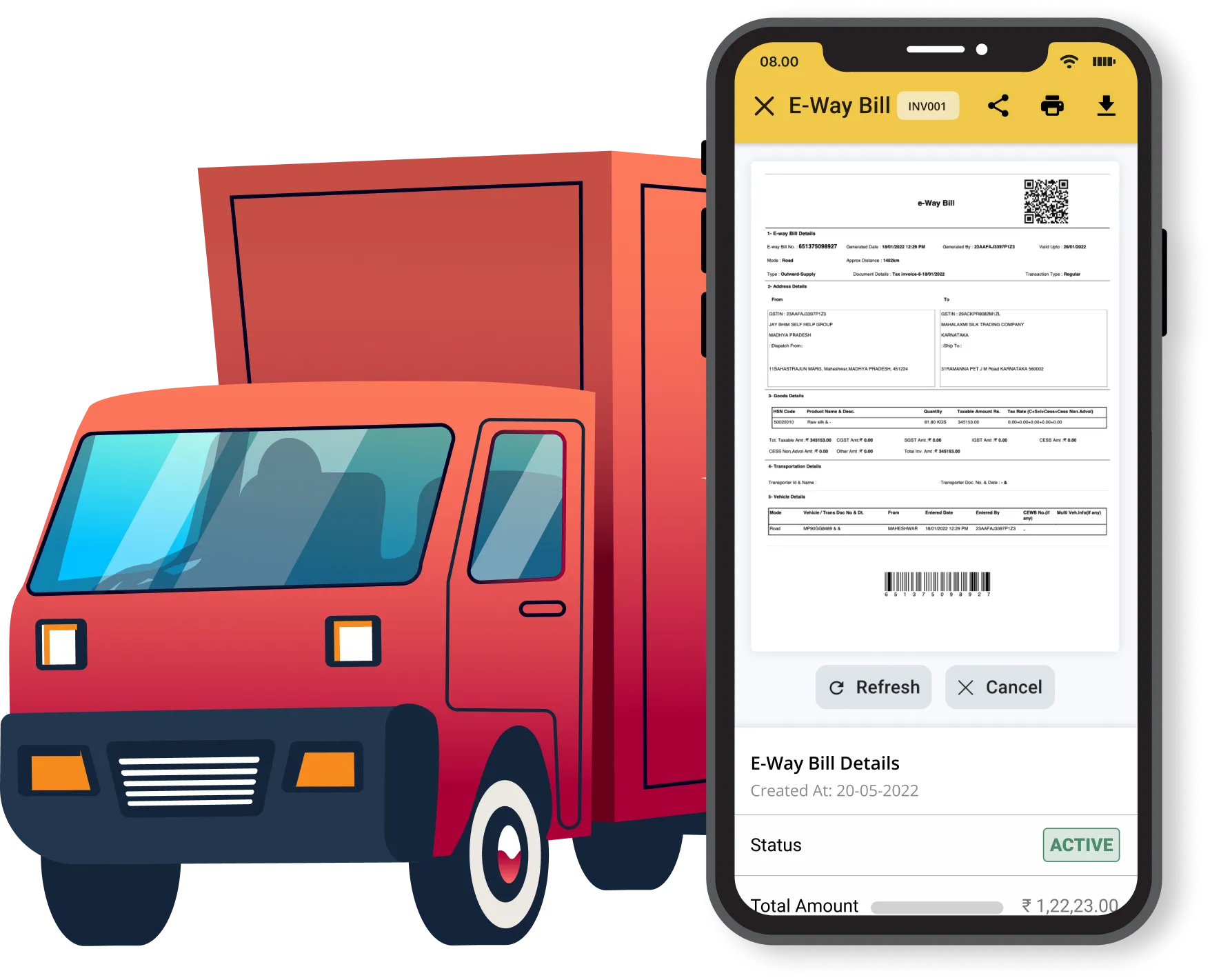
The e-way bill from your invoice in one click
The parties, items, HSN codes and value come from the invoice. Add the vehicle and distance, and the e-way bill is ready to print or share. More than 10 lakh e-way bills have been generated on GimBooks.
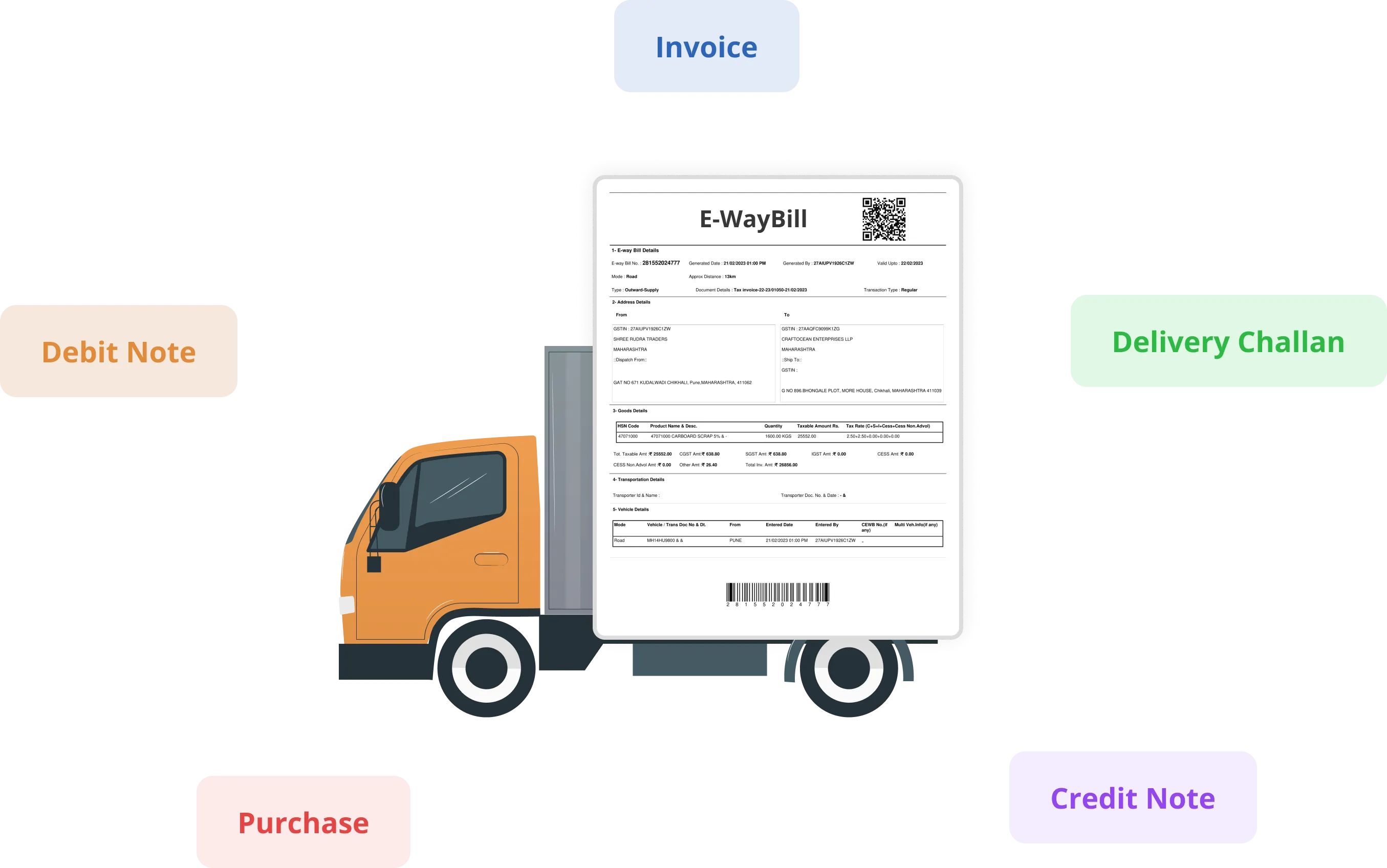
- Also from delivery challans, purchases, credit and debit notes and job work challans.
- By road, rail, air or ship, for regular or over-dimensional cargo.
- Active, cancelled and expired e-way bills in one list.
In transit
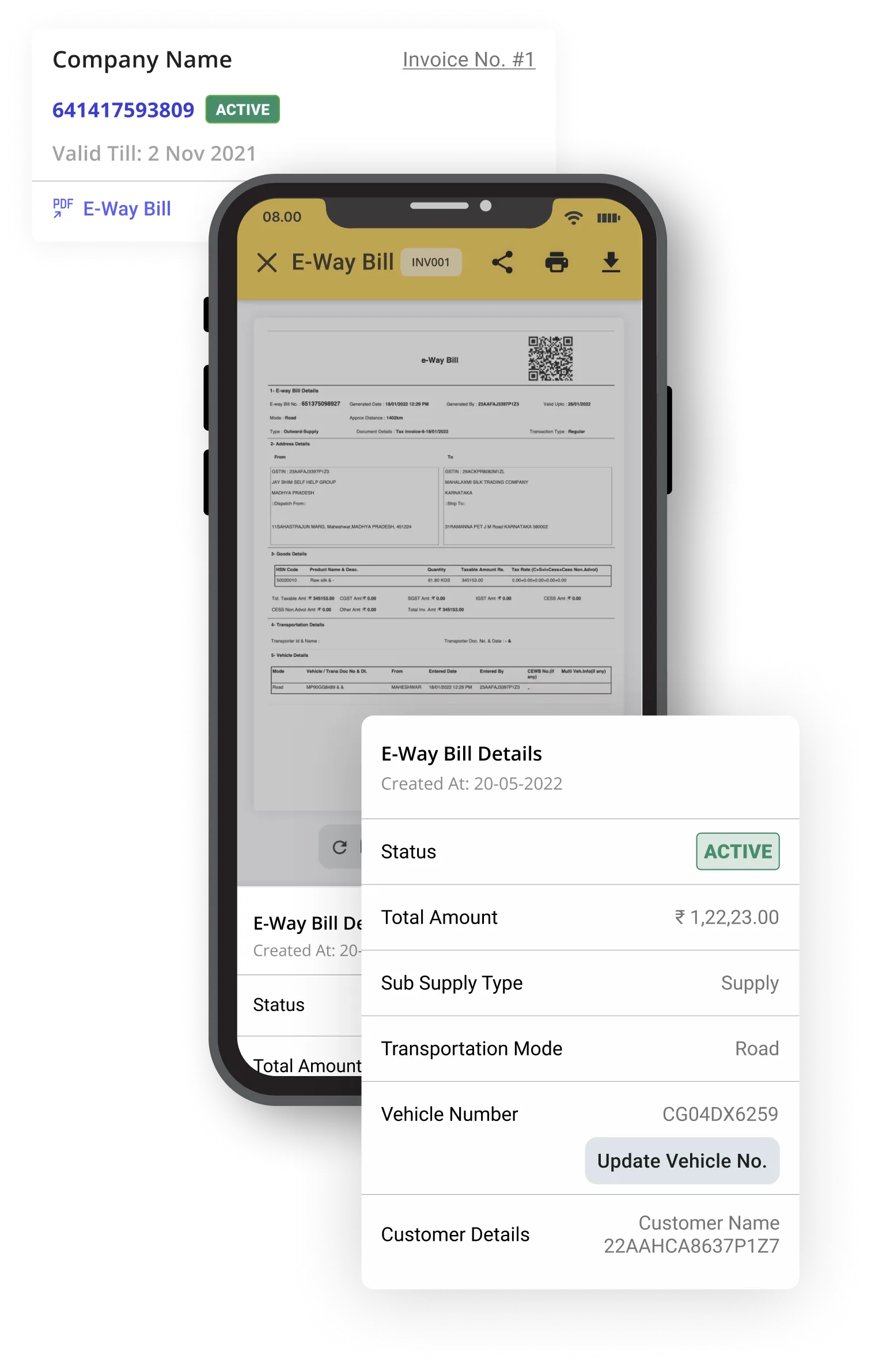
Truck changed? Update the vehicle number
If a vehicle breaks down or the goods move to another truck, update the vehicle number on the e-way bill and give the reason. The new number shows on the invoice PDF as well.
- Extend the validity from the app if the goods are delayed.
- Cancel an e-way bill that was raised by mistake.
- Edit vehicle, LR and transporter details even after the e-invoice is generated.
Transport details
Vehicle, LR and transporter on every bill
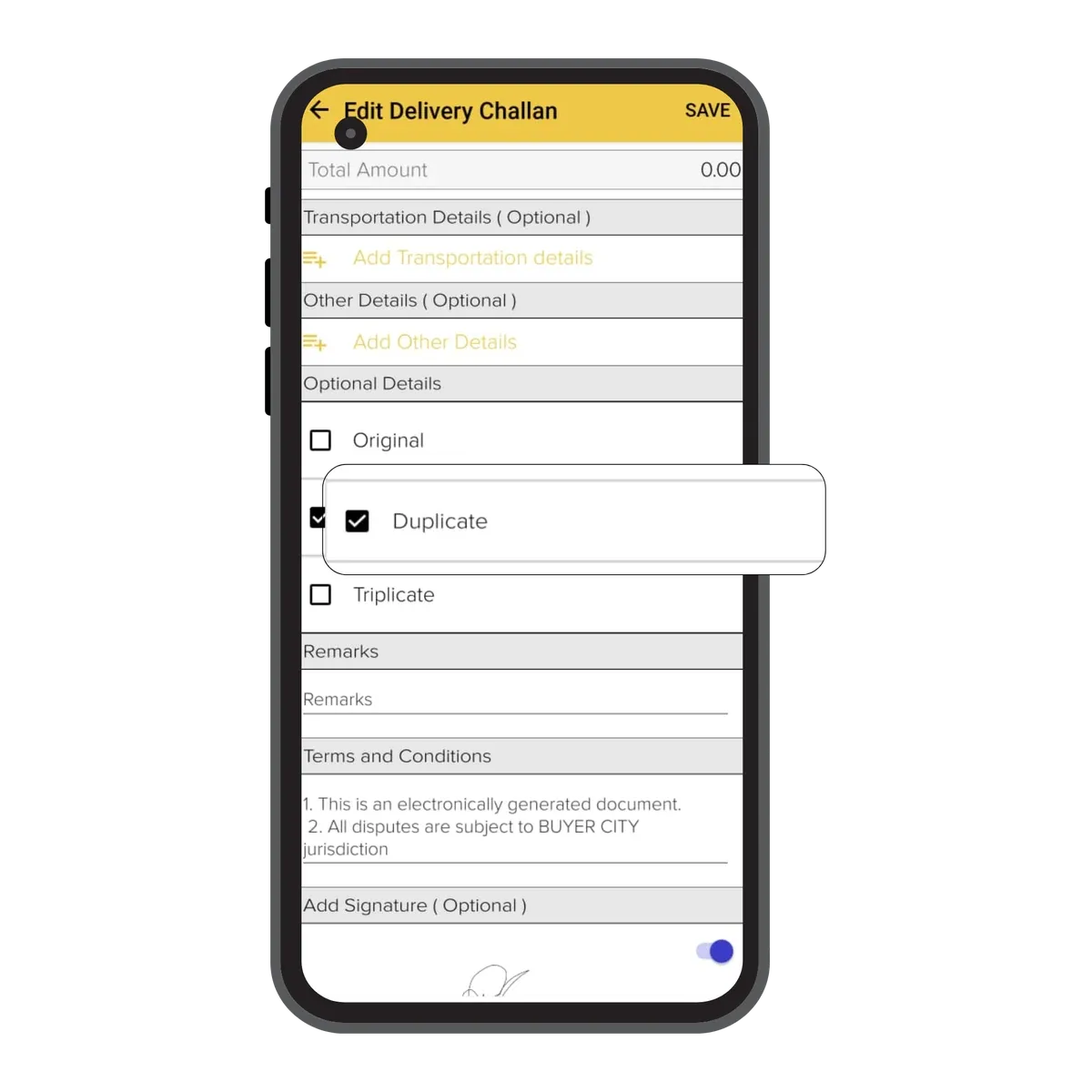
Add the mode of transport, vehicle number, transporter and LR number and date to invoices, delivery challans, purchases and credit and debit notes. Save your regular transporters with their transporter IDs and pick them from a list.
- On invoices, the label follows the mode: LR for road, RR for rail, airway bill for air, bill of lading for ship.
- Original, duplicate and triplicate challans, with the duplicate for the transporter.
- Show or hide transport fields on your invoice design.
Why GimBooks
Why transport businesses choose GimBooks
Transporters and the businesses that ship with them need the bill, the transport details and the e-way bill to match. GimBooks makes them from the same entry.
-
Made for goods on the move
Transport details on every document, saved transporters and e-way bills in one click.
-
GST compliant
Freight billed with SAC codes, CGST, SGST or IGST worked out, 1-click e-invoices and GSTR-1 filed in 3 steps.
-
Fewer portal visits
Generate, update, extend and cancel e-way bills from GimBooks instead of logging in to the portal each time.
-
Bill from anywhere
Make bills and e-way bills from the office, the yard or the road on your phone, and see them on the web dashboard.
-
Collect what you are owed
Automatic WhatsApp reminders, part payments, party ledgers and an ageing report for every customer.
-
7-day free trial
Every Premium plan starts with a 7-day free trial, so you can bill real customers before you pay.
Features
Transport billing features
-
Freight invoices with SAC codes
Save freight, loading and other services with their SAC codes and GST rates, and bill them in a few taps.
-
Freight and other charges
Add freight, loading, insurance or delivery charges to a sale, each with its own GST rate and SAC code.
-
Recurring invoices
Bill fixed monthly hire or contracts automatically, and pause, resume or stop the schedule at any time.
-
TDS on payments
Record the TDS your customers deduct, with its section, and see it in the TDS receivable report.
-
Expenses with GST
Record fuel, repairs, tolls and other spend with or without GST, and see it by category or vendor.
-
Manage staff
Give your office staff their own logins and choose what each person can view, add, edit or delete.
Who it’s for
For transporters and the businesses that ship with them
Whether you move goods or send them, GimBooks keeps the bill and the e-way bill in step.
-
Transporters & fleet owners
Freight invoices with vehicle and LR details. Recharge your trucks’ FASTags with GimBooks Pay.
-
Courier & parcel services
Service invoices with SAC codes, shared on WhatsApp in a tap.
-
Logistics & warehousing
Storage, handling and freight billed on one GST invoice.
-
Packers & movers
Packing, loading and transport charges on a single GST invoice.
-
Manufacturers who ship
E-way bills from invoices, delivery challans and job work challans.
-
Distributors & wholesalers
Bulk dispatches with transport details and an e-way bill for every load.
Easy setup
Start billing in minutes
No technical knowledge needed. GimBooks works on Android, iPhone and the web, with automatic cloud backup.
- 01
Download or sign up
Install GimBooks on Android or iPhone, or open the web dashboard on your computer.
- 02
Add transporters and services
Enter your business details once, save your regular transporters with their IDs, and add the services or goods you bill.
- 03
Connect the e-way bill portal
Link GimBooks to the e-way bill system once with your e-way bill login.
- 04
Bill and ship
Create the invoice with its transport details and make the e-way bill from it in one click.
GST, end to end
More than billing
The bill is only the start. GimBooks also handles the GST work that comes after it.
-
E-invoicing
Get the IRN and signed QR code for any invoice in one click, and cancel within 24 hours from the app.
Learn more -
E-way bills
Turn an invoice or challan into an e-way bill in one click, and update the vehicle number on the go.
Learn more -
GSTR filing
File GSTR-1 in three steps, and GSTR-3B, from the sales and purchases already in GimBooks.
Learn more -
Inventory
Stock updates with every sale and purchase, with low-stock alerts before you run out.
Learn more
Does your accountant use Tally? Sync your vouchers to Tally, so your books stay up to date without typing anything twice.
Customer reviews
Shop owners, traders and manufacturers run on GimBooks
-
“Running a mobile shop can get hectic, especially with billing and keeping track of stock. Ever since I started using the GimBooks app, things have become much simpler! This billing and invoicing software is in Hindi, which makes it very easy to use. Now, billing customers and managing my inventory takes half the time! I can even generate reports to see which phones are selling the most, which helps me stock up better. Overall, GimBooks is a lifesaver for any mobile shop owner.”
AA Ashish Agarwal Mobile Retailer -
“In the jewellery business, accuracy and trust are important. Thankfully, GimBooks has helped me achieve both with customers! This billing and invoicing software lets me create detailed bills for each piece of jewellery, including weight, design, and material. It also helps me manage customer accounts and track sales. With GimBooks, I can ensure all my billing is accurate and I can file gst too from the app. It's a great billing and invoicing software for any jewellery business owner.”
RP Mrs. Radha Patel Jewellery Business Owner -
“Since using GimBooks, managing my spice business has become much more efficient. The e-invoice generator saves me time, and the updated reports give me valuable insights into my sales.”
RM Rajeev Malhotra Spice Wholesale -
“As a pharma company owner, managing bills and invoices for various medicines can be a real headache. But, GimBooks has been a game-changer for me! This user-friendly app lets me create bills quickly and keeps track of all my sales data. It even helps me maintain separate accounts for the different pharmacies I supply to. What's more, I can access GimBooks from my phone anywhere, anytime. It's a fantastic billing and invoicing software that has made my life much easier.”
VS Vikram Singh Pharma Manufacturer -
“I love that GimBooks has party-wise reports, sales-wise reports, stock-wise reports, and more. It helps me to manage my cloth bundle easily with the supplier. This billing and invoicing software lets me create custom invoices for different types of fabrics and keeps track of my production and sales data. It's also easy to manage accounts for different retailers I supply to. The app is a great all-in-one solution for small businesses like mine.”
PM Pradeep Malhotra Textile Manufacturer -
“I was hesitant to try a new billing app at first, but I'm so glad I gave GimBooks a chance. It's perfect for my small steel trading business. I can create professional-looking invoices with my company logo in seconds. It also helps me track my inventory and low stock alerts ensure I never run out of important supplies. The app is in Hindi too, which makes things even easier for me.”
AV Abhishek Verma Steel Trader
FAQ
Transport billing software: your questions
Can't find what you need? Call us or write to our support team.
What is transport billing software?
Transport billing software creates GST invoices for freight and transport services and keeps the vehicle, transporter and LR details with each bill. GimBooks also generates and manages the e-way bills for those bills.
Can I add the vehicle number and LR number to invoices?
Yes. Invoices, delivery challans, purchases and credit and debit notes have transport details: mode of transport, vehicle number, transporter name and ID, and the LR (or RR, airway bill or bill of lading) number and date.
Can I generate e-way bills from GimBooks?
Yes. Make an e-way bill from an invoice in one click, or from a delivery challan, purchase, credit or debit note or job work challan. Unlimited e-way bills come with the E-Way Bill and Enterprise plans; on other plans e-way bills use credits.
Can I change the vehicle number after the e-way bill is made?
Yes. Update the vehicle number on the e-way bill and give the reason, such as a breakdown or transhipment. The new number also shows on the invoice PDF.
Can I extend an e-way bill if the goods are delayed?
Yes. Extend the validity from GimBooks close to its expiry: give the reason, where the goods are and the distance left, and the new validity is worked out from that distance.
Can I save my regular transporters?
Yes. Save each transporter with their name and transporter ID, then pick them from a list on invoices, challans and other documents instead of typing the details again. They carry into the e-way bill too.
Can I record TDS deducted by my customers?
Yes. When you record a customer’s payment, add the TDS they deducted and its section. The TDS receivable report lists what each customer has deducted.
Can I recharge FASTag with GimBooks?
Yes, with GimBooks Pay, our separate payments app. Recharge any bank’s FASTag, recharge many FASTags at once and pay by UPI, card, wallet or net banking.
Is GimBooks transport billing software free?
There is no free plan. Every Premium plan starts with a 7-day free trial, so you can bill real loads before you pay. Current plans are on our pricing page.
Billing software for other businesses
See how GimBooks works for other trades and devices.
Bill your next load with GimBooks
Freight invoices, transport details and e-way bills in one app. Every plan starts with a 7-day free trial.