Furniture billing software
Furniture billing software for shops and showrooms
Bill sofas, beds, tables and wardrobes with the brand, material, colour, size and warranty on every item, and add installation, packing and assembly charges to the same GST invoice.


- 7-day free trial
- Warranty & material on the bill
- Installation charges built in
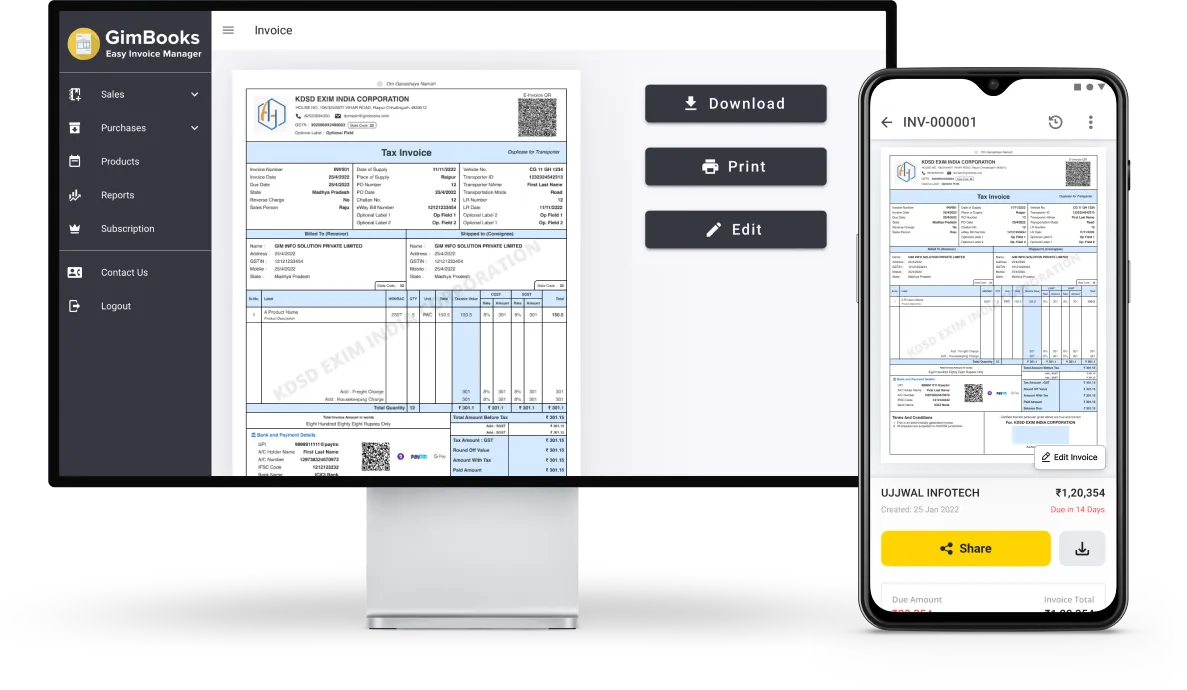
What is furniture billing software?
Furniture billing software helps furniture shops, showrooms and makers create GST invoices, manage stock and track payments.
It keeps the details a buyer cares about, such as the brand, material, finish and warranty, on the item and on the bill.
Why furniture businesses need specialised billing software
- The same design comes in different materials, colours and finishes.
- Buyers want the warranty and the specifications in writing.
- Installation, packing and assembly are charged on top of the furniture.
- Big orders are quoted first, delivered later and often paid in parts.

Furniture billing
Everyday furniture shop challenges, handled
GimBooks keeps every detail on the bill and every balance in view.
| Furniture shop challenge | How GimBooks helps |
|---|---|
| Many versions of one design | Brand, material, colour, finish and size on each item |
| Warranty questions later | The warranty printed under the item on the invoice |
| Finding the right piece | Search items by SKU, brand, material or colour |
| Installation and assembly | Ready-made charges on the same invoice |
| Custom orders | Quotations and sales orders that turn into invoices |
| Deliveries out of town | E-way bill from the invoice in one click |
| Balance due after delivery | Part payments, party ledgers and WhatsApp reminders |
Quotations and orders
Quote the order, then bill it
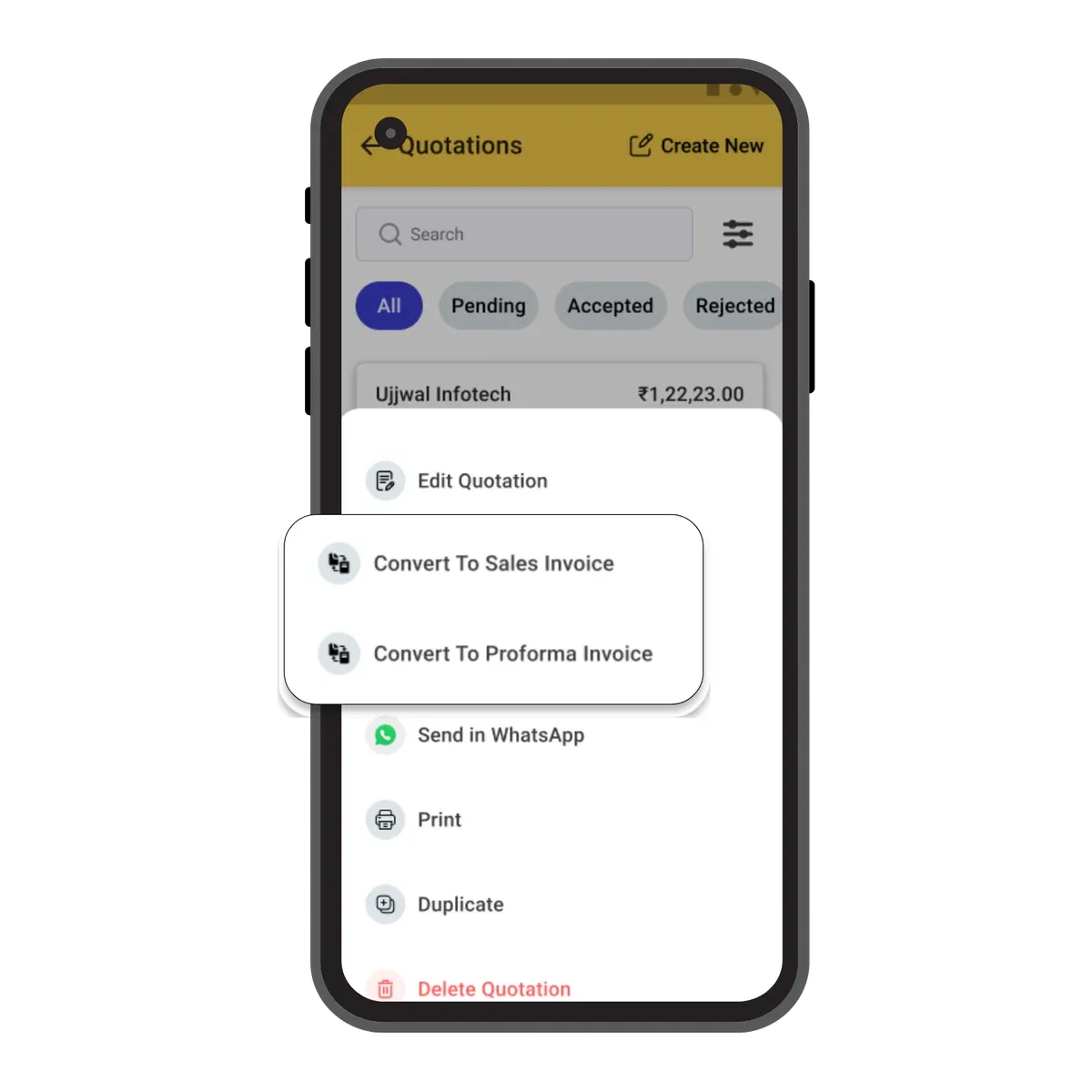
Send a quotation for a custom order. When the customer agrees, convert it into an invoice without typing it again.
- Record confirmed orders as sales orders and track their status until you bill.
- Stock changes only when the invoice is made.
Delivery
Deliver with the paperwork done
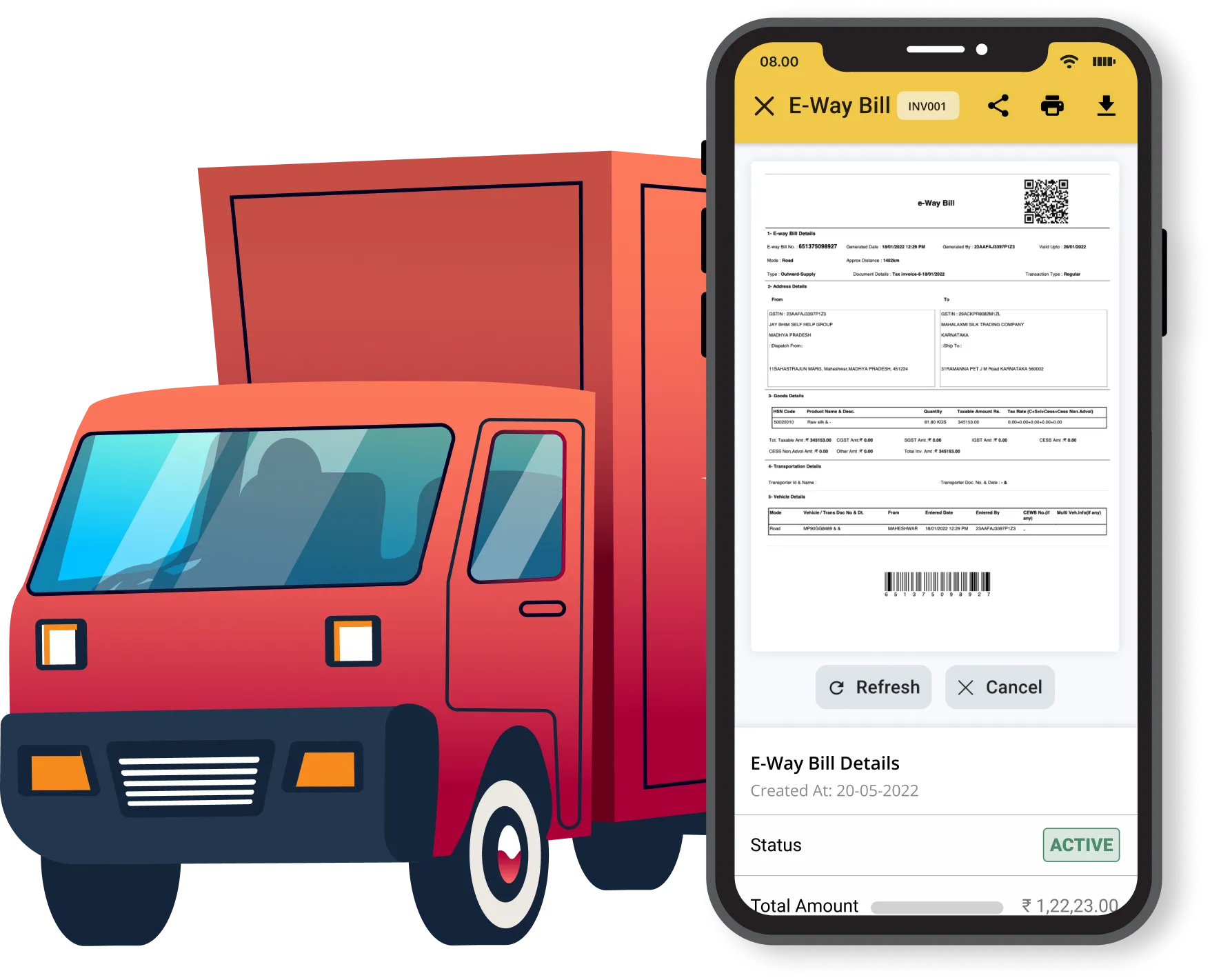
Make a delivery challan for goods on the way, and generate the e-way bill from the invoice or challan in one click.
- Update the vehicle number on the e-way bill on the go.
- Extend its validity before it expires.
Why GimBooks
Why furniture sellers choose GimBooks
A furniture sale takes time: the buyer compares designs, asks about the wood and the warranty, and often pays in parts. GimBooks keeps it all on one bill.
-
Details filled in for you
Save the brand, material, colour and warranty on the item once, and they come onto every invoice line.
-
GST compliant
GST on the furniture and on installation and assembly charges, with GSTR-1 filed in 3 steps.
-
Made for furniture
Fields for dimension, weight, warranty and SKU, and attributes you can rename or add to.
-
Synced across devices
Bill from your phone on the showroom floor and check it on the computer later. Your data is backed up in the cloud.
-
Your showroom’s brand
Add your logo, GSTIN, terms and bank details to every invoice.
-
7-day free trial
Every Premium plan starts with a 7-day free trial, so you can bill real customers before you pay.
Features
Furniture billing features
Built around how furniture is sold, delivered and paid for.
-
Brand, material and colour
Pick from ready lists for brand, material, colour, finish, room type and size, or add your own values.
-
Dimension and weight
Record each item’s dimension and product weight with their units.
-
Warranty on the bill
Set the warranty in months or years. It prints under the item, so the buyer has it in writing.
-
Find items fast
Give each item an SKU, then search by SKU, brand, material or colour while you bill.
-
Installation and assembly
Installation, packing & forwarding and assembly charges are ready in your invoice’s other charges.
-
Your own attributes
Rename or switch off the built-in attributes, and add your own, such as fabric or seating.
-
Stock that keeps up
Stock updates with every sale and purchase, with batch-wise tracking and low-stock alerts.
-
Part payments and reminders
Record part payments, print the customer’s balance on the bill and send WhatsApp reminders.
Who it’s for
Built for every kind of furniture business
From a single showroom to a workshop that makes to order.
-
Furniture shops & showrooms
Walk-in sales with the brand, material and warranty on every bill.
-
Carpenters & furniture makers
Quote custom pieces and bill them with their specifications.
-
Modular & office furniture
Large orders with installation and assembly on the same invoice.
-
Home décor & furnishing stores
Many similar items, found fast by SKU, brand or colour.
-
Furniture wholesalers
Bulk orders, party-wise payment terms and e-way bills for deliveries.
Benefits
Benefits for furniture businesses
Fewer mix-ups at the counter and fewer questions after delivery.
- Fewer mix-ups: the right material, finish and warranty print on every bill.
- One invoice for everything: furniture, installation and assembly together.
- A record that lasts: details are saved with each invoice, so a reprint shows what was sold even after you change the item.
- Room to grow: add staff and choose what each person can view, add, edit or delete.
Easy setup
Start billing in minutes
No technical knowledge needed. Your data is backed up in the cloud.
- 01
Download or sign up
Install GimBooks on Android or iPhone, or open the web dashboard on your computer.
- 02
Choose Furniture
In Settings, set your business sector to Furniture. The furniture fields then appear on your items.
- 03
Add your range
Add each piece with its brand, material, colour, dimension and warranty.
- 04
Bill and deliver
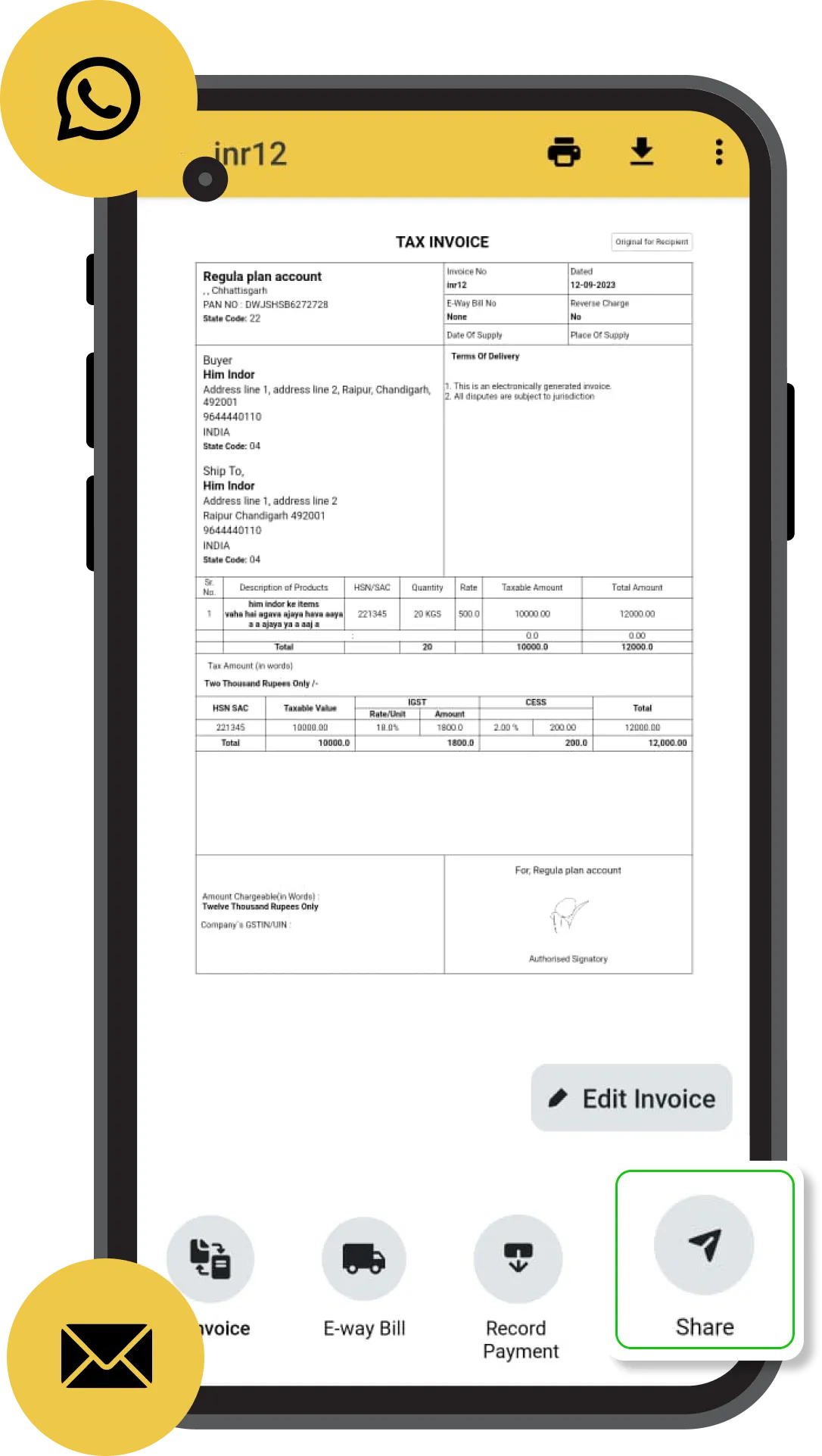
Make the invoice, add installation or assembly if needed, and share it on WhatsApp or print it.
GST, end to end
More than billing
The bill is only the start. GimBooks also handles the GST work that comes after it.
-
E-invoicing
Get the IRN and signed QR code for any invoice in one click, and cancel within 24 hours from the app.
Learn more -
E-way bills
Turn an invoice or challan into an e-way bill in one click, and update the vehicle number on the go.
Learn more -
GSTR filing
File GSTR-1 in three steps, and GSTR-3B, from the sales and purchases already in GimBooks.
Learn more -
Inventory
Stock updates with every sale and purchase, with low-stock alerts before you run out.
Learn more
Does your accountant use Tally? Sync your vouchers to Tally, so your books stay up to date without typing anything twice.
Customer reviews
Shop owners, traders and manufacturers run on GimBooks
-
“Running a mobile shop can get hectic, especially with billing and keeping track of stock. Ever since I started using the GimBooks app, things have become much simpler! This billing and invoicing software is in Hindi, which makes it very easy to use. Now, billing customers and managing my inventory takes half the time! I can even generate reports to see which phones are selling the most, which helps me stock up better. Overall, GimBooks is a lifesaver for any mobile shop owner.”
AA Ashish Agarwal Mobile Retailer -
“In the jewellery business, accuracy and trust are important. Thankfully, GimBooks has helped me achieve both with customers! This billing and invoicing software lets me create detailed bills for each piece of jewellery, including weight, design, and material. It also helps me manage customer accounts and track sales. With GimBooks, I can ensure all my billing is accurate and I can file gst too from the app. It's a great billing and invoicing software for any jewellery business owner.”
RP Mrs. Radha Patel Jewellery Business Owner -
“Since using GimBooks, managing my spice business has become much more efficient. The e-invoice generator saves me time, and the updated reports give me valuable insights into my sales.”
RM Rajeev Malhotra Spice Wholesale -
“As a pharma company owner, managing bills and invoices for various medicines can be a real headache. But, GimBooks has been a game-changer for me! This user-friendly app lets me create bills quickly and keeps track of all my sales data. It even helps me maintain separate accounts for the different pharmacies I supply to. What's more, I can access GimBooks from my phone anywhere, anytime. It's a fantastic billing and invoicing software that has made my life much easier.”
VS Vikram Singh Pharma Manufacturer -
“I love that GimBooks has party-wise reports, sales-wise reports, stock-wise reports, and more. It helps me to manage my cloth bundle easily with the supplier. This billing and invoicing software lets me create custom invoices for different types of fabrics and keeps track of my production and sales data. It's also easy to manage accounts for different retailers I supply to. The app is a great all-in-one solution for small businesses like mine.”
PM Pradeep Malhotra Textile Manufacturer -
“I was hesitant to try a new billing app at first, but I'm so glad I gave GimBooks a chance. It's perfect for my small steel trading business. I can create professional-looking invoices with my company logo in seconds. It also helps me track my inventory and low stock alerts ensure I never run out of important supplies. The app is in Hindi too, which makes things even easier for me.”
AV Abhishek Verma Steel Trader
FAQ
Furniture billing software: your questions
Can't find what you need? Call us or write to our support team.
What is furniture billing software?
Billing software for furniture shops, showrooms and makers. It puts details such as the brand, material, colour and warranty on each item and on the GST invoice, adds charges like installation, and tracks stock and payments.
Which details can I add to a furniture item?
Brand, material, colour, finish and room type are ready to use, each with a list of common values, and size can be switched on. You can also record the dimension, product weight, warranty and an SKU.
Can I add my own attributes and values?
Yes. Rename or switch off the built-in attributes, add values to them, or create attributes of your own.
Do these details print on the invoice?
Yes. The brand prints under the item name, followed by the warranty, the dimension, your other attributes and the product weight. The details are saved with each invoice, so a reprint shows what was sold.
How do I add installation or assembly charges?
Installation Charge, Packing & Forwarding Charge and Assembly Charge are ready in the other charges on your invoices. Add the one you need, and GST is worked out on it.
Can I quote a custom order before billing it?
Yes. Send a quotation and convert it into an invoice when the customer confirms. You can also record confirmed orders as sales orders and turn them into invoices when you bill.
How do I turn on furniture billing?
In Settings, set your business sector to Furniture. The furniture fields then appear on your items, and the installation, packing and assembly charges in your invoice’s other charges.
Is GimBooks furniture billing software free?
There is no free plan. Every Premium plan starts with a 7-day free trial, so you can bill real customers before you pay. Current plans are on our pricing page.
Does GimBooks handle e-way bills for deliveries?
Yes. Generate the e-way bill from the invoice or delivery challan in one click, and update the vehicle number on the go.
Billing software for other businesses
See how GimBooks works for other trades and devices.
Make your next furniture bill with GimBooks
Brand, material and warranty on every item. Every plan starts with a 7-day free trial.