Proforma invoices
Create proforma invoices in seconds
A proforma invoice is your first step towards a sale: it sets out the terms, details and expectations before the deal is final. With GimBooks you can create it, edit it, track it and turn it into a tax invoice in one tap.


- Convert to a tax invoice in one tap
- Professional templates
- Share as PDF
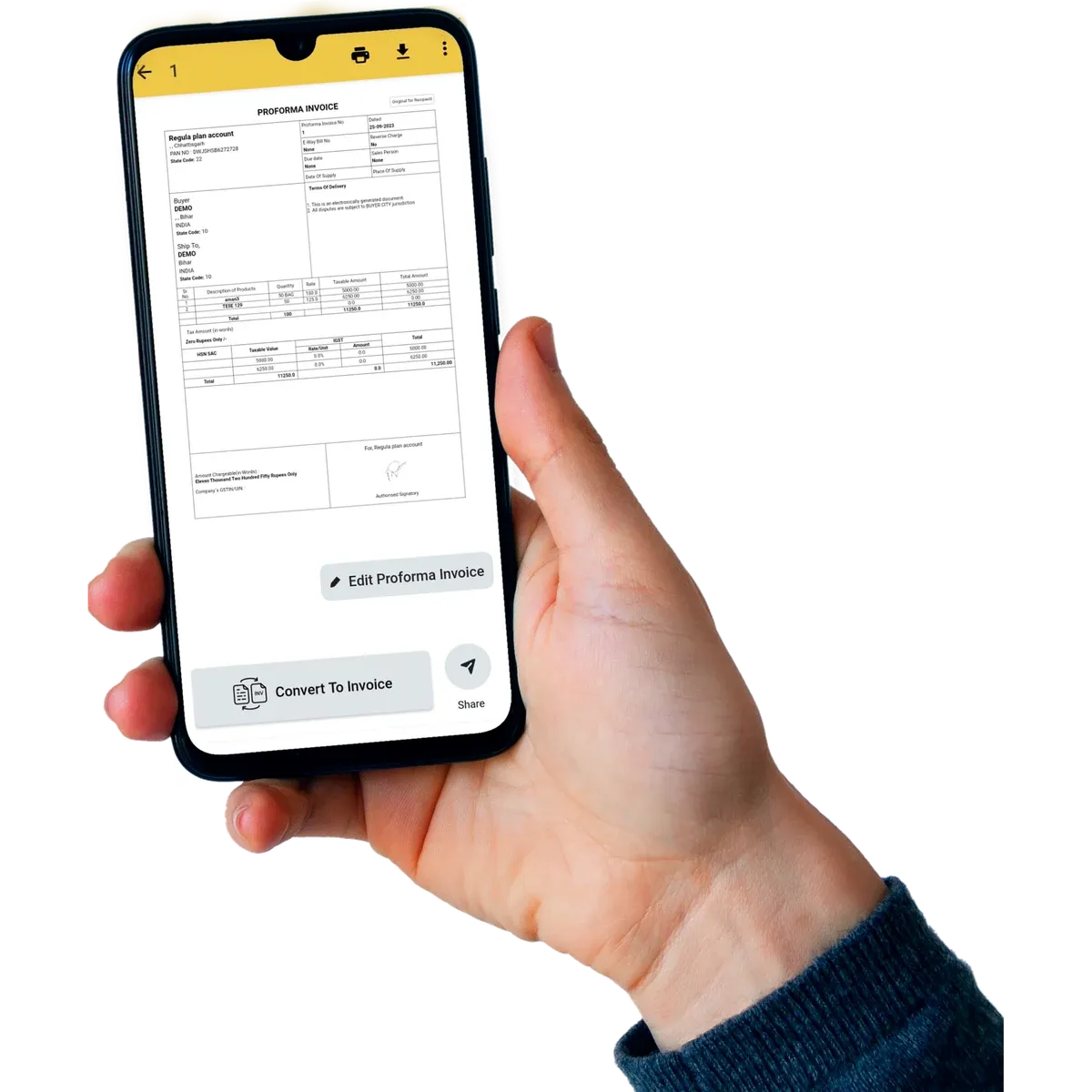
Editing
Edit it even after the preview
Preview the proforma invoice once you have added your company details, and keep editing if anything changes. You stay in full control of the document until the deal is done.
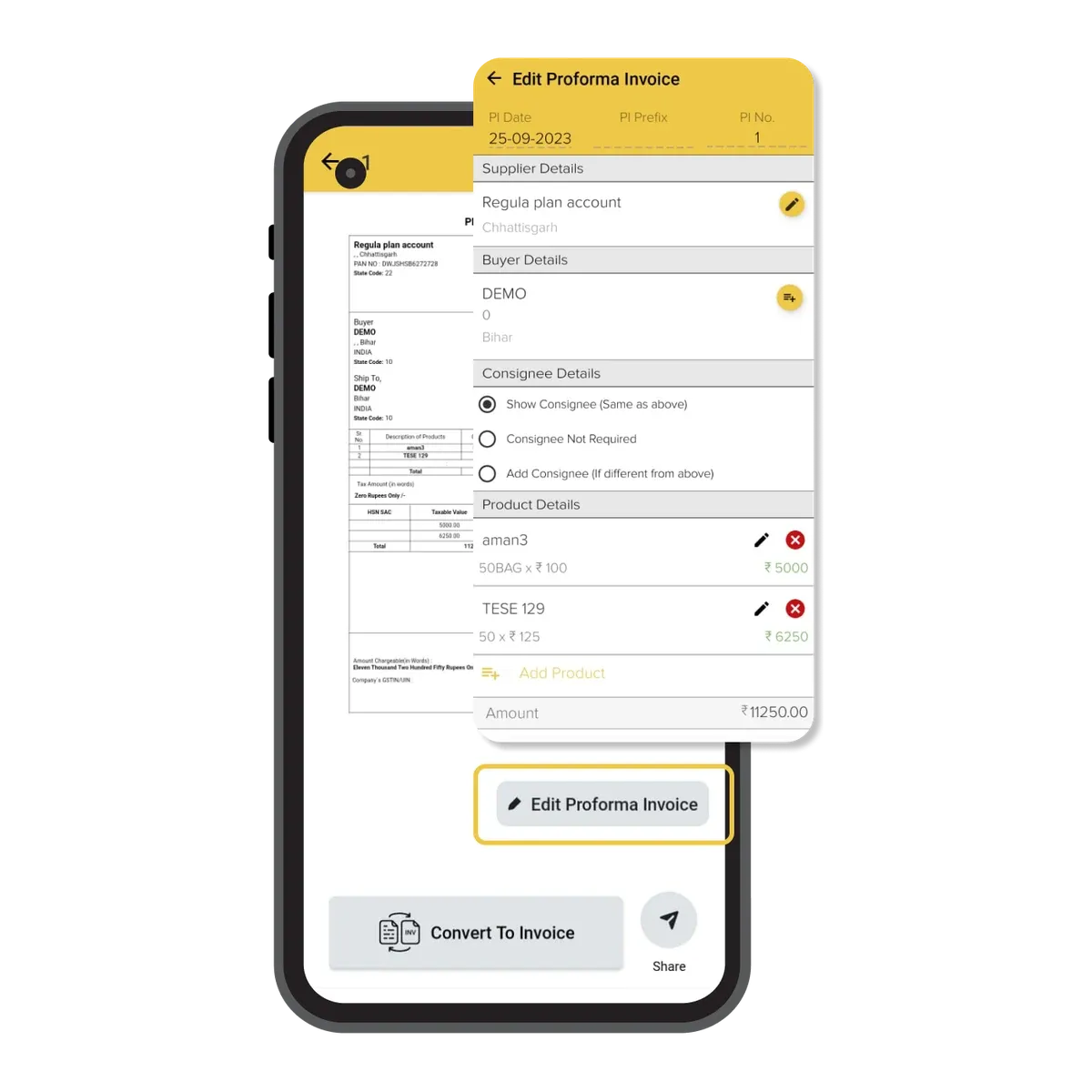
Conversion
Convert to a tax invoice, bill of supply or sales debit note
Turn the proforma into the documents that follow it in one tap. Company, product and buyer details carry over, so you never type them twice, and the deliverables stay clear to the buyer.
- Tax invoice
- Bill of supply
- Sales debit note
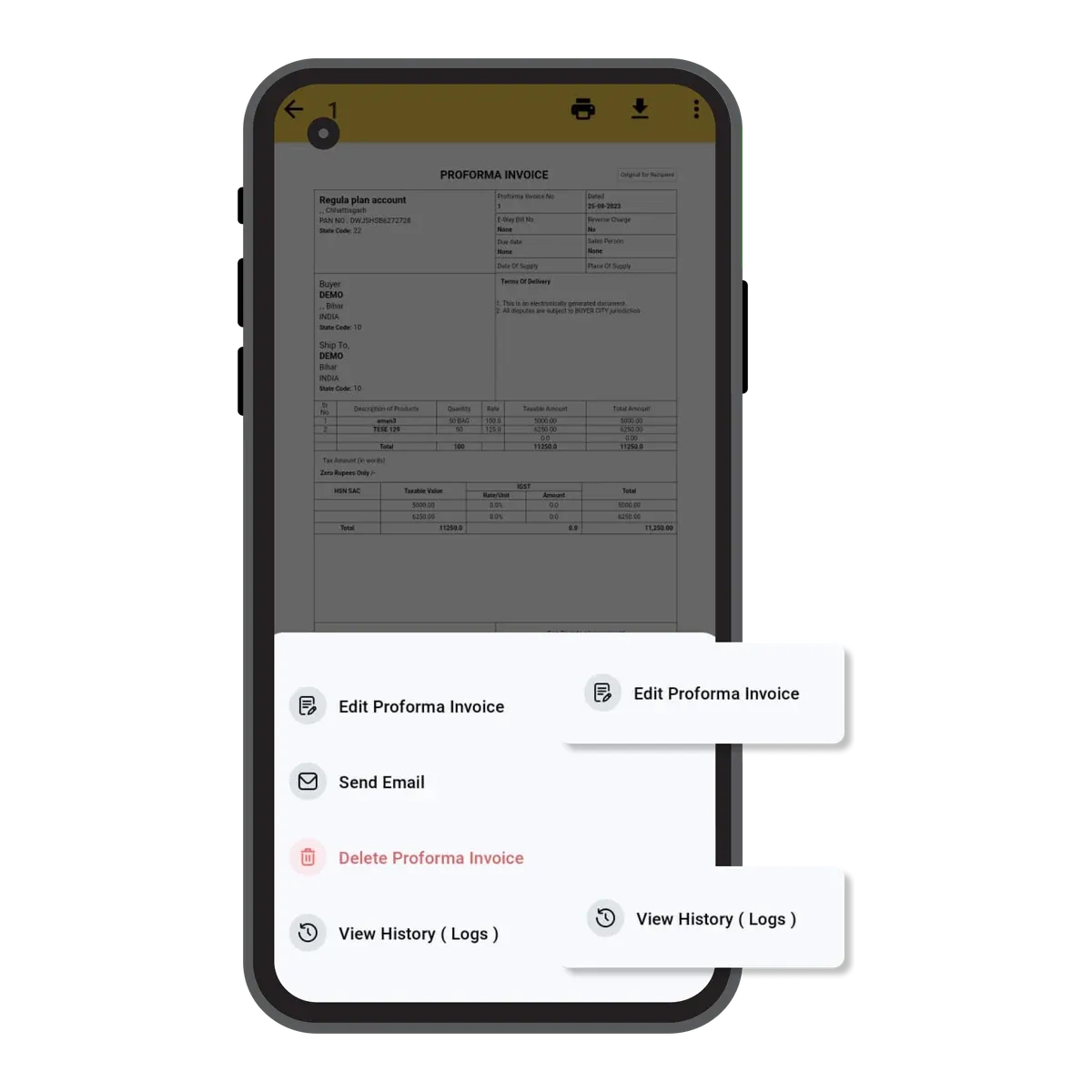
History logs
See every change in the history log
Open the log of any proforma invoice to see when it was created, what was updated and what actions were taken. View, edit or check old proformas whenever you need them.
Why GimBooks for proforma invoices
Your first invoice, your way, anywhere you go
-
Professional templates
Choose from a list of professional proforma invoice templates that make a good impression on every customer.
-
Consignee and transport details
Add consignee, product and transport details so the buyer can see exactly what will be delivered.
-
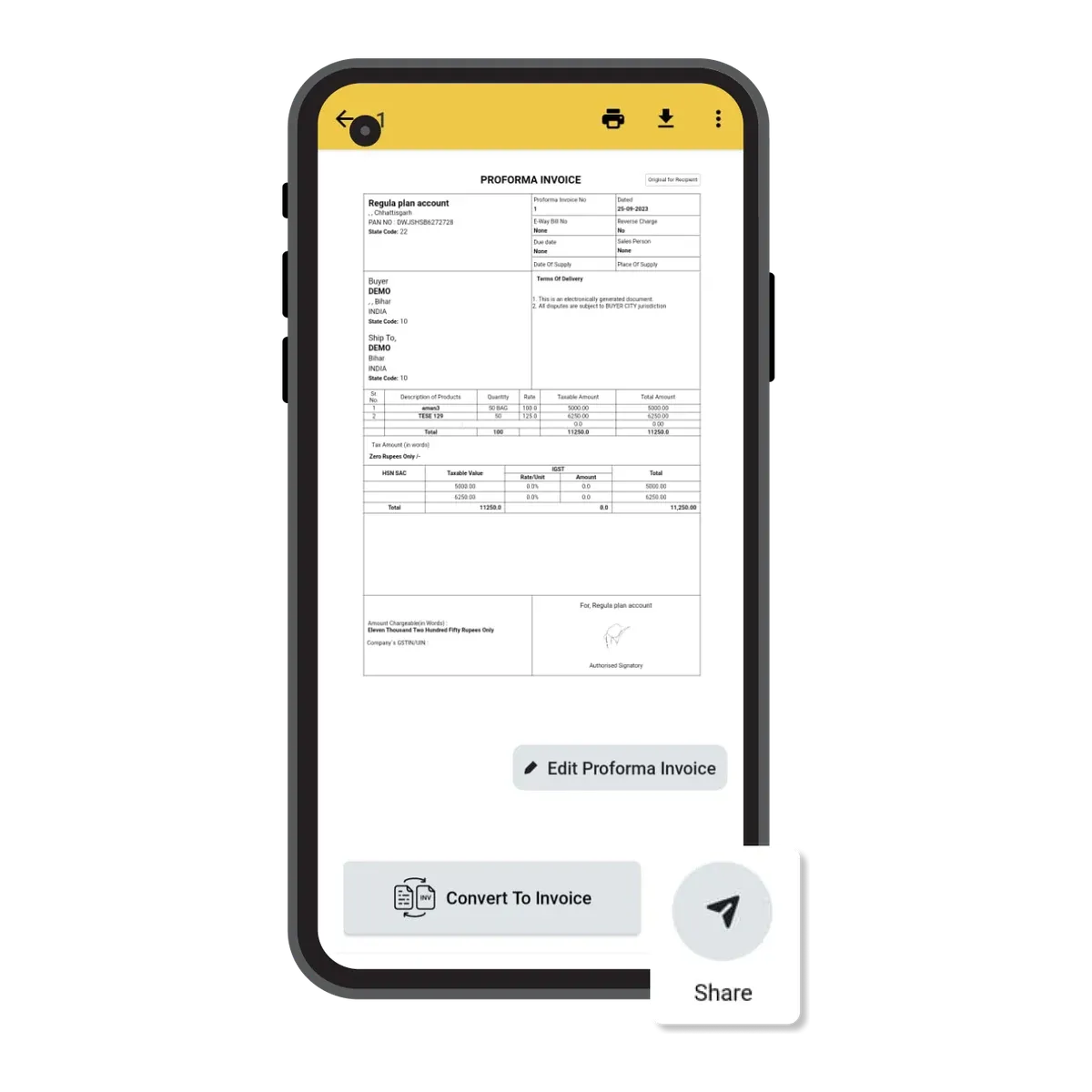
PDF with your signature
Download the proforma invoice as a PDF with your signature, then print it or share it on email, WhatsApp or any platform.
-
Phone and computer
A proforma invoice made in the app is on the web dashboard too, so you can open and share it from anywhere.
-
Easy to track
Each proforma invoice carries its own number at the top right, so you can always trace it.
-
Secure by default
GimBooks is protected with SSL encryption, so the business details you enter stay between you and us.
How it works
How to create a proforma invoice in GimBooks
- 01
Number it
Enter the date, a proforma invoice prefix and a number, so every proforma is easy to track and keep on record.
- 02
Describe goods and charges
Add the goods and charges, so your buyer knows exactly what they are getting.
- 03
Convert and share
When the sale is confirmed, convert the proforma into an invoice with a click and share it however you like.
FAQ
Proforma invoice questions, answered
Can't find what you need? Call us or write to our support team.
What is a proforma invoice?
A proforma invoice is a preliminary document a seller sends to a buyer before the sale takes place. It sets out the estimated cost of the goods or services and serves as an agreement between both parties.
How is a proforma invoice different from a commercial invoice?
A proforma invoice is not a demand for payment; it is a commitment to provide the goods or services. A commercial invoice is issued after the sale and asks for payment.
Why use a proforma invoice?
Businesses use proforma invoices for customs clearance, since they describe the shipment in detail; as a reference document for imports and exports; and to secure financing or credit.
Is a proforma invoice legally binding?
No. It is a preliminary document that outlines the terms of a potential sale. The final invoice, issued and accepted once the sale goes through, is the binding document.
What should a proforma invoice include?
The seller's and buyer's contact details, the invoice date, a description of the goods or services with quantity and unit price, the total amount payable, payment terms and currency, shipping terms and the estimated delivery date, and any other terms and conditions.
When should I use a proforma invoice?
When you are asking for payment in advance or setting credit terms, when customs needs detailed information about a shipment, when you are securing financing, or when you are negotiating a sale before finalising it.
Can I make changes to a proforma invoice?
Yes. A proforma invoice can be changed until the buyer accepts it, so it can follow your negotiations. In GimBooks you can edit it even after the preview.
Are customs duties based on the proforma invoice?
Customs duties are usually calculated on the commercial invoice, not the proforma. The proforma is used for reference and documentation during customs clearance.
Can I convert a proforma invoice into a tax invoice?
Yes. Once the sale is final, convert the proforma in GimBooks into a tax invoice, a bill of supply or a sales debit note in one tap, and request payment from the buyer.
How do I get started with proforma invoices in GimBooks?
Sign up on the GimBooks web dashboard or download the app from Google Play or the App Store. Every GimBooks Premium plan starts with a 7-day free trial.
Explore more GimBooks features
Every document is GST-ready and linked to the next, so nothing is typed twice.
- Invoicing GST and non-GST invoices with your logo, made in seconds and shared in a tap.
- E-invoicing Get the IRN and signed QR code for any invoice in one click.
- E-way bills Turn an invoice or challan into an e-way bill in one click.
- Inventory Stock updates itself with every sale and purchase.
- Quotations Send quotes, convert to invoices
- Purchases Purchase bills, POs and vendors
- Delivery challans Original, duplicate and triplicate
- Credit notes Sales returns and corrections
- Debit notes Purchase returns and adjustments
- GSTR filing File GSTR-1 and 3B from the app
- Expenses Track spend by category
Make your first proforma invoice with GimBooks
Create, convert and share proformas from your phone or computer. Every plan starts with a 7-day free trial.