Quotations
Create quotations just the way you like
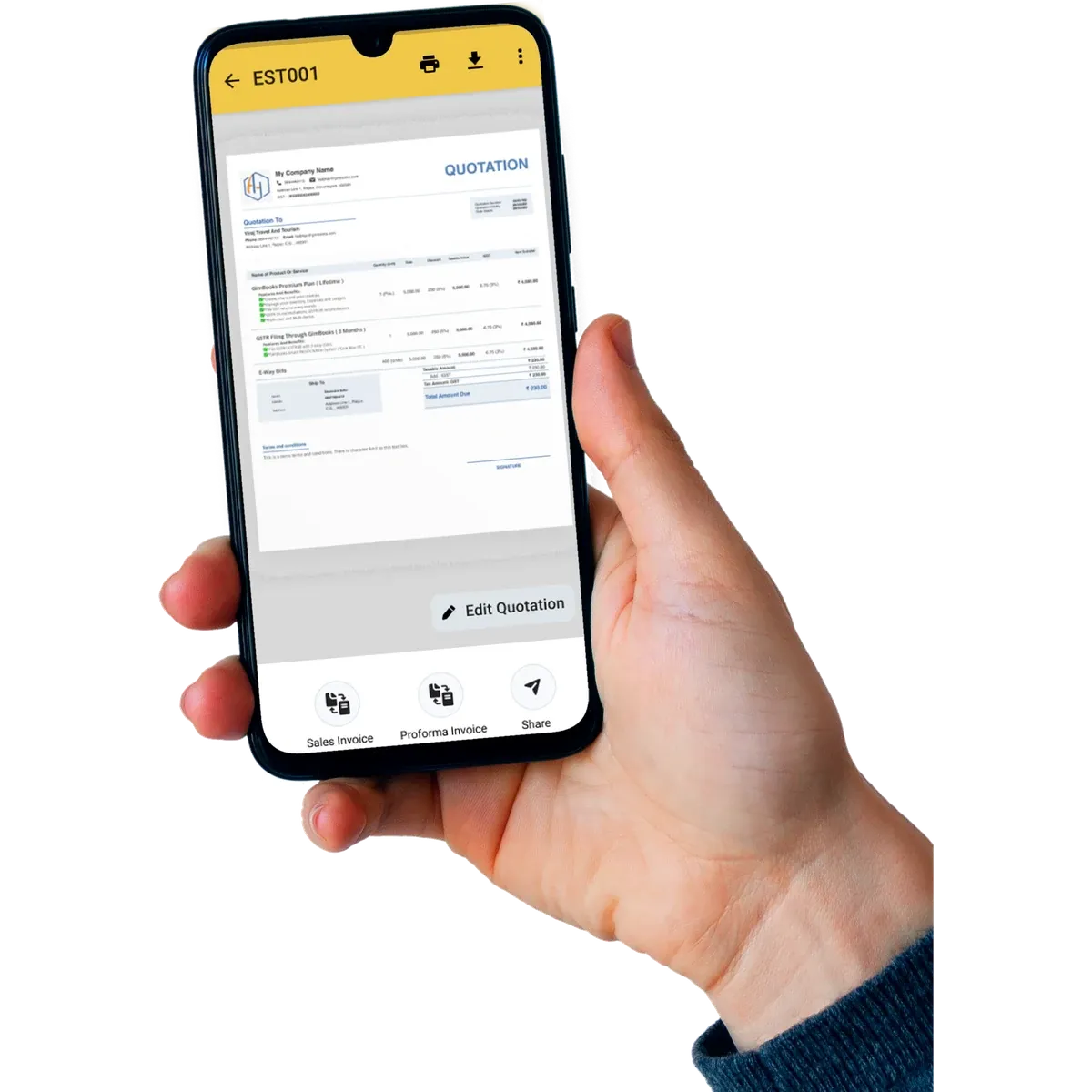
Send professional quotations from your phone or computer. Track which quotes are accepted, turn them into a proforma or tax invoice in one tap, duplicate them, and find any quote with filters.


- Free online quotation maker
- Quote to invoice in one tap
- Android, iPhone and web
Two ways to quote
A quick quote online, or every quote in the app
Quotation maker
Need one quote right now? Fill in the free online quotation maker, then download or print it. No sign-up needed.
- Free to use
- Works in your browser
- Totals and GST calculated for you
GimBooks app
Quoting every week? Keep every quotation in the app, track its status and turn it into an invoice when the buyer says yes.
- Accepted, pending and rejected status
- Convert to a proforma or tax invoice
- Same quotes on phone and computer
Quote status
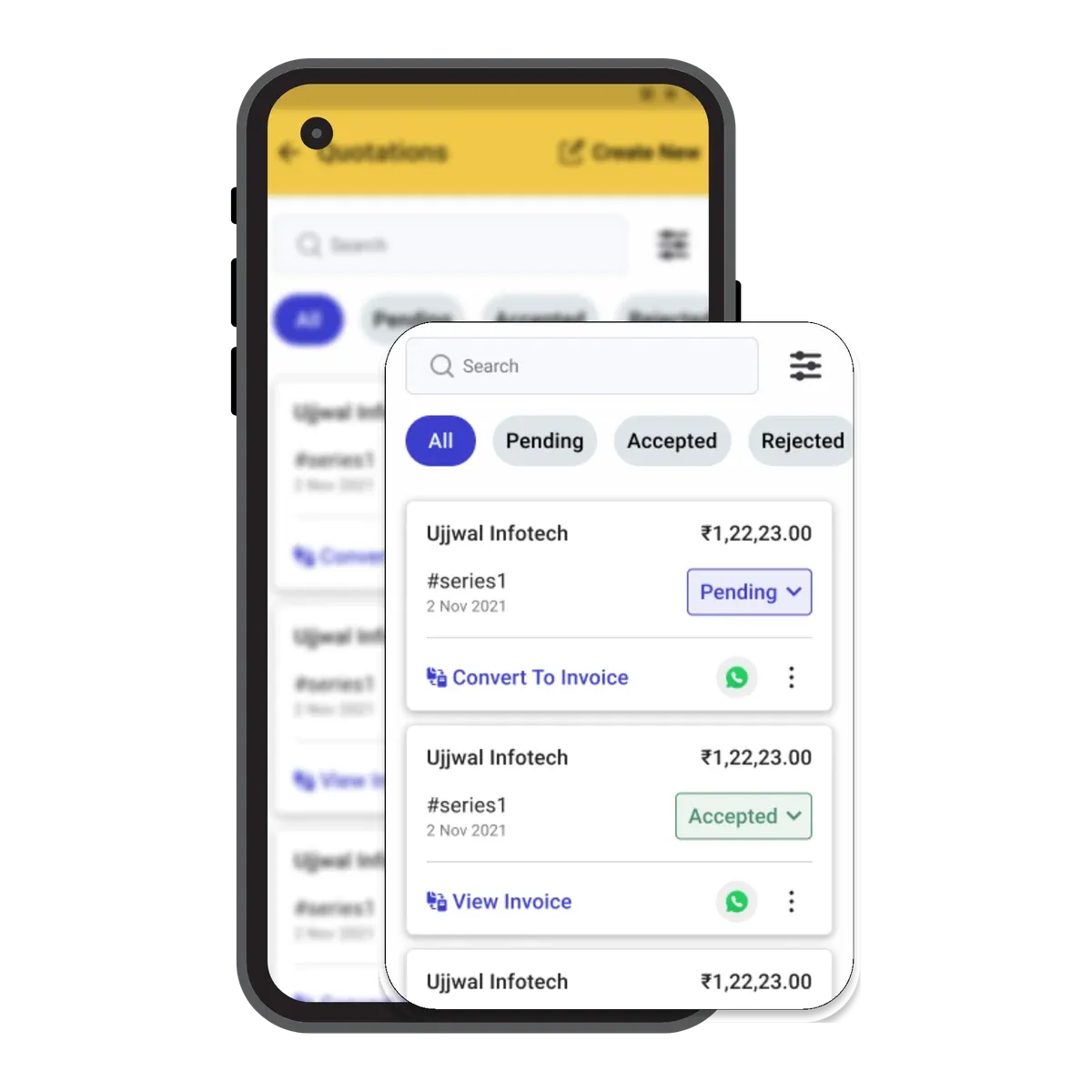
Know which quotes are accepted, pending or rejected
Managing quotations gets harder as your business grows. Mark each quotation accepted or rejected and check its status on the go, so you can renegotiate prices or quantities with the right information in front of you.
Convert
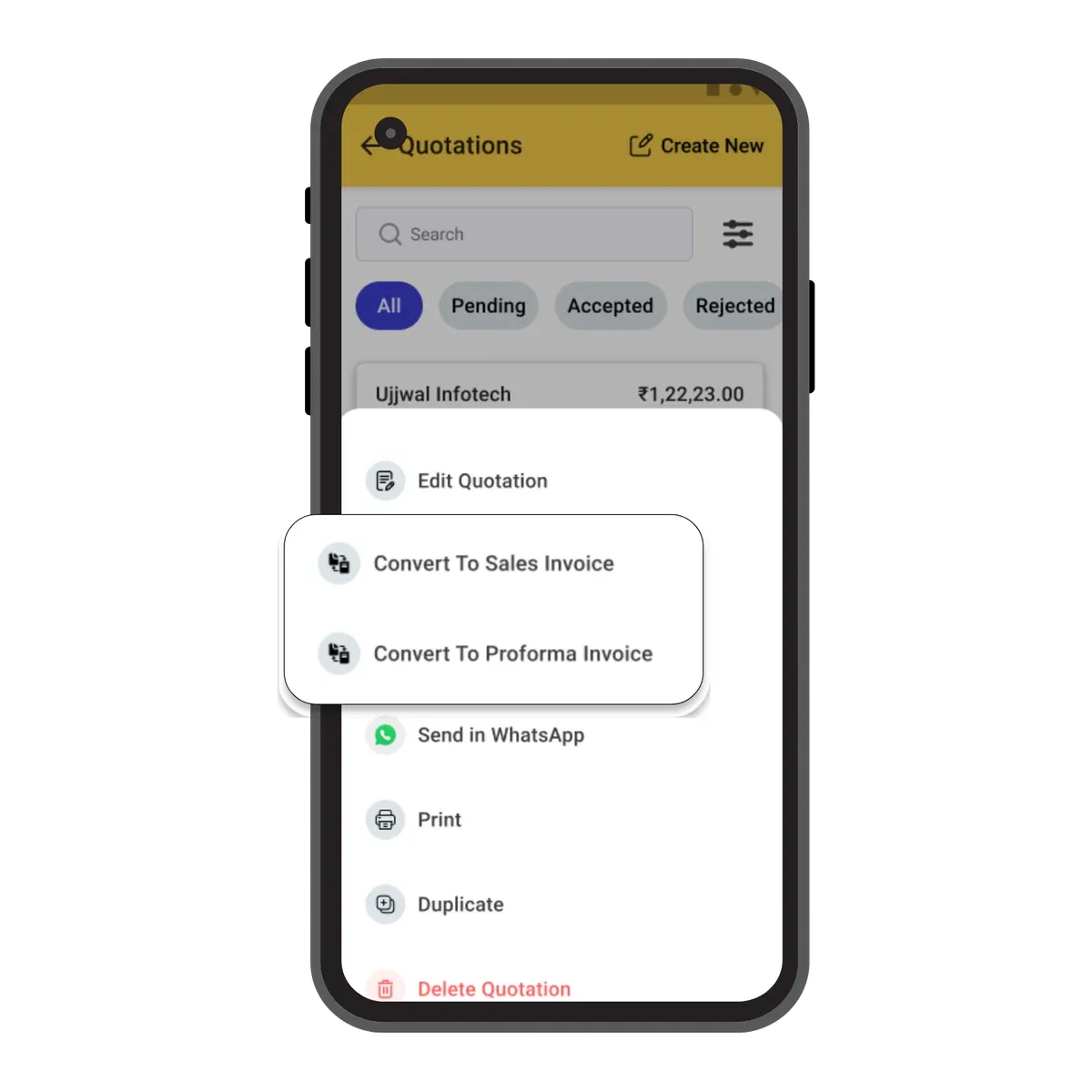
Turn a quote into a proforma or tax invoice in a single tap
When the buyer says yes, convert the quotation into a proforma invoice or a tax invoice without typing anything again. The deliverables and tax charges carry over, so the buyer sees exactly what was agreed.
- Convert to a sales invoice or a proforma invoice
- Edit the quotation even after converting it
Duplicate and filter
Reuse a quote in seconds and find any quote fast
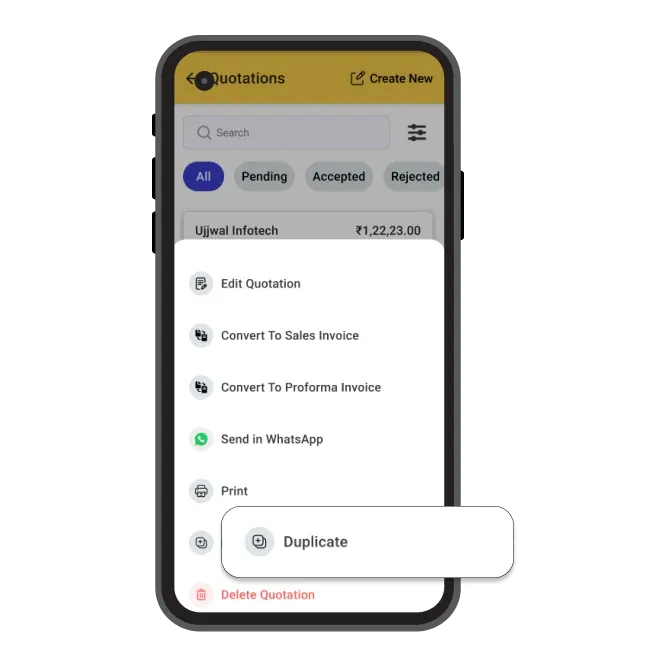
Duplicate a quotation to send the same offer to another business without building it twice. Filters and a quick preview help you find the right quotation, even one buried in the middle of the list, before you email or share it.
Why GimBooks for quotations
Professional quotes, sent from anywhere
Make a quotation look professional, then send it from wherever you are.
-
Professional templates
Choose from a list of professional quotation templates that make a good impression on every customer.
-
PDF with your signature
Download the quotation as a PDF with your signature, then print it or share it on email, WhatsApp or any platform.
-
Phone and computer
A quotation made in the app is on the web dashboard too, so you can open and share it from anywhere.
-
Easy to track
Every quotation has its own number at the top right, so you can always trace it later.
-
Duplicate and print
Duplicate a quotation on the go, print it, or share it across platforms in a tap.
-
Secure by default
GimBooks is protected with SSL encryption, so the business details you enter stay between you and us.
How it works
How to create a quotation in GimBooks
- 01
Number it
Enter the date, a quotation prefix and a number, so every order still to be finalised is easy to track.
- 02
Add the details
Describe the goods and add contact details, bank details and charges, so the buyer knows exactly what they are getting.
- 03
Convert and share
Convert the quotation into a sales invoice or proforma invoice with a click, and share it however you like.
What business owners say
-
“As a steel trading business owner, it is hard to find an affordable app that has quotation, invoices, check expense categories, debit notes, delivery challan, and everything but GimBooks makes things a lot less stressful. The app helps me manage everything from creating quotations to generating purchase bills and vouchers. It's like having a personal accountant in my pocket! I especially love the real-time reports feature. It gives me a clear picture of my business performance, allowing me to make better decisions.”
GS Gyanendra Sharma Steel Trader
Quotation format, maker and tutorial
- Free tool
Quotation maker
Make a GST quotation online and download it. Free, no sign-up needed.
Open the tool - Free format
Quotation format
Download a free, ready-to-fill quotation format.
Get the format - Video tutorial
Video: create a quotation
A short walkthrough of making and converting a quotation in the app.
Watch the video
FAQ
Quotation questions, answered
Can't find what you need? Call us or write to our support team.
What is a quotation?
A quotation shares the estimated price of the products and services your business offers. A professional quotation made with GimBooks helps you make a good impression on potential customers.
How do I use GimBooks quotations?
Download the GimBooks app from Google Play or the App Store, or sign up on the web dashboard. For a one-off quote, you can also use the free online quotation maker.
Is the quotation feature free to use?
The online quotation maker is free. Quotations in the GimBooks app, with status tracking and one-tap conversion to invoices, are part of GimBooks Premium, which starts with a 7-day free trial.
What should a quotation include?
Your business name and address, the name and address of your customer, the products or services with quantity, units and price, fixed and variable costs, your GSTIN if required, and your signature. You can add all of it in GimBooks.
Can I edit a quotation?
Yes. You can edit every detail in a quotation, even after you have converted it into a proforma invoice.
How do I share a quotation?
Once it is ready, download it as a PDF and send it straight to your customer on email, WhatsApp or any other platform.
Is there a professional quotation template?
Yes. GimBooks has a list of quotation templates designed to make your quotation look professional, and you can pick the one you like.
Can I open my quotations on other devices, or while travelling?
Yes. A quotation created in the app is also on the GimBooks web dashboard, so you can reach it from your phone or your computer wherever you are.
Explore more GimBooks features
Every document is GST-ready and linked to the next, so nothing is typed twice.
- Invoicing GST and non-GST invoices with your logo, made in seconds and shared in a tap.
- E-invoicing Get the IRN and signed QR code for any invoice in one click.
- E-way bills Turn an invoice or challan into an e-way bill in one click.
- Inventory Stock updates itself with every sale and purchase.
- Proforma invoices Turn into a tax invoice in a tap
- Purchases Purchase bills, POs and vendors
- Delivery challans Original, duplicate and triplicate
- Credit notes Sales returns and corrections
- Debit notes Purchase returns and adjustments
- GSTR filing File GSTR-1 and 3B from the app
- Expenses Track spend by category
Send your next quotation with GimBooks
Quote, convert to an invoice and get paid from one app. Every plan starts with a 7-day free trial.