Inventory management
Maintain inventory like never before
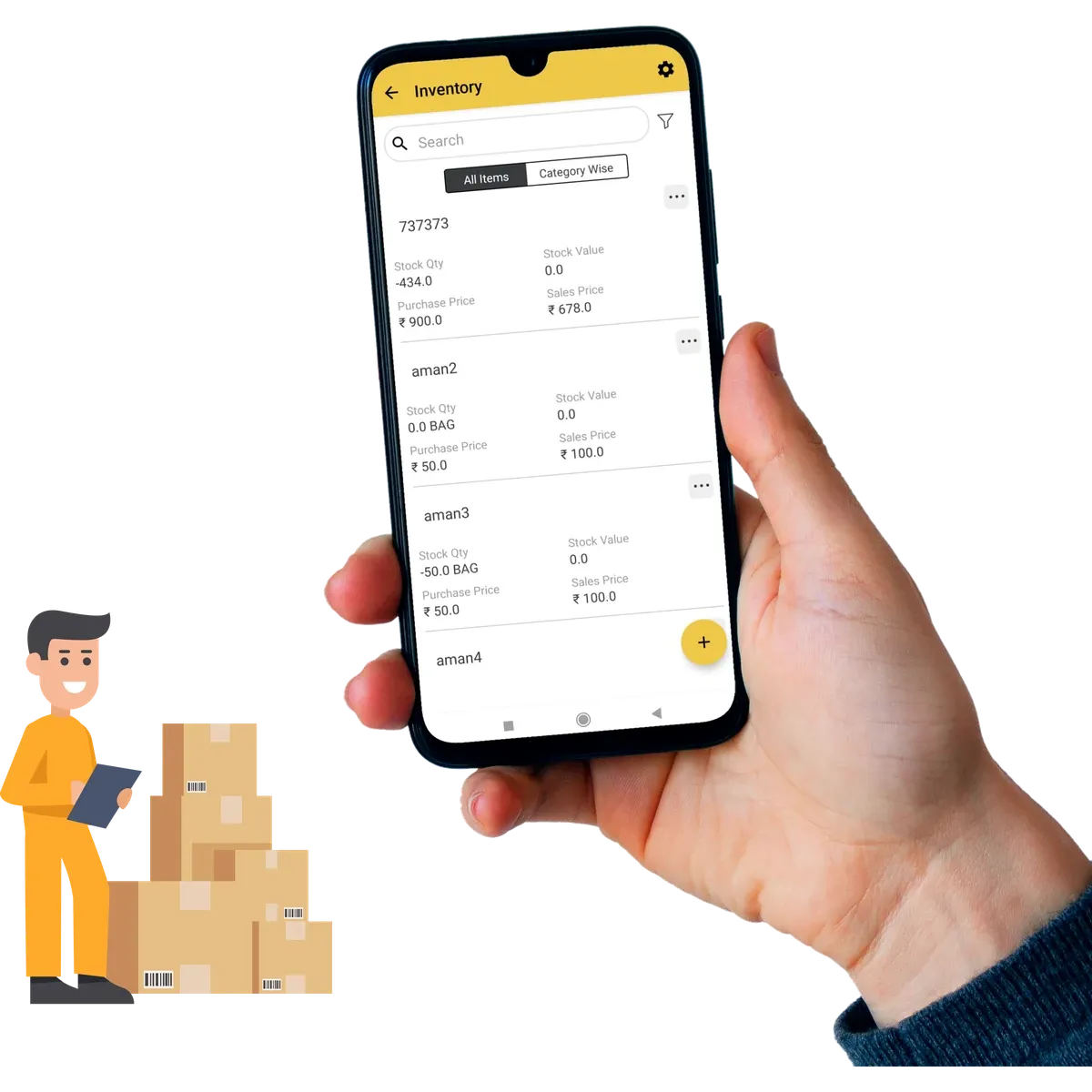
GimBooks brings inventory, bookkeeping and GST-compliant accounting together in one cloud app. Drop the paper stock register and manage every item from your phone or computer.


- Low-stock alerts
- Stock value at a glance
- Scan item codes
Items
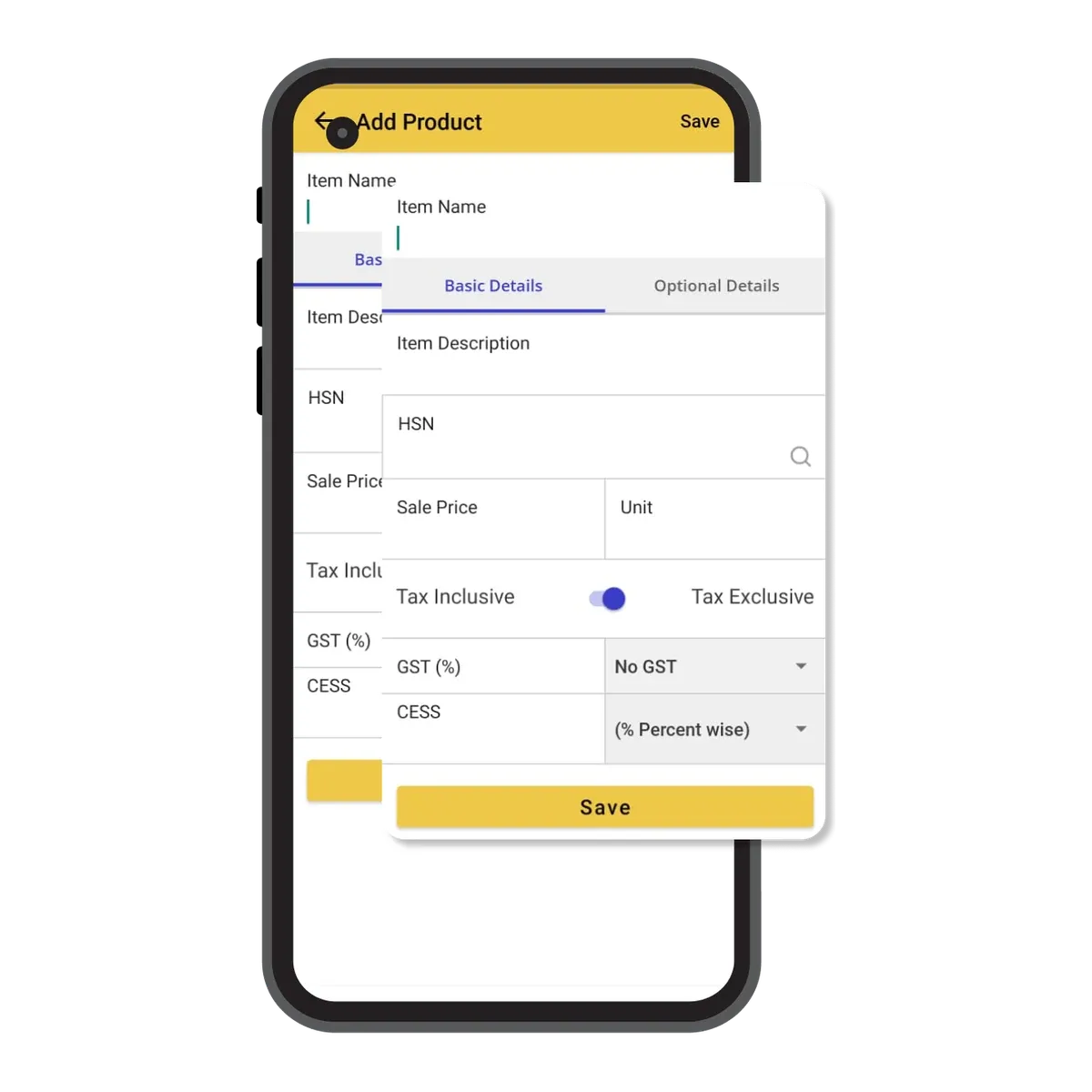
Create and organise your inventory on the go
Add item details and names, choose whether to maintain stock levels, and set prices to include or exclude GST, in a few taps. Manage multiple units at once, from anywhere.
Stock value
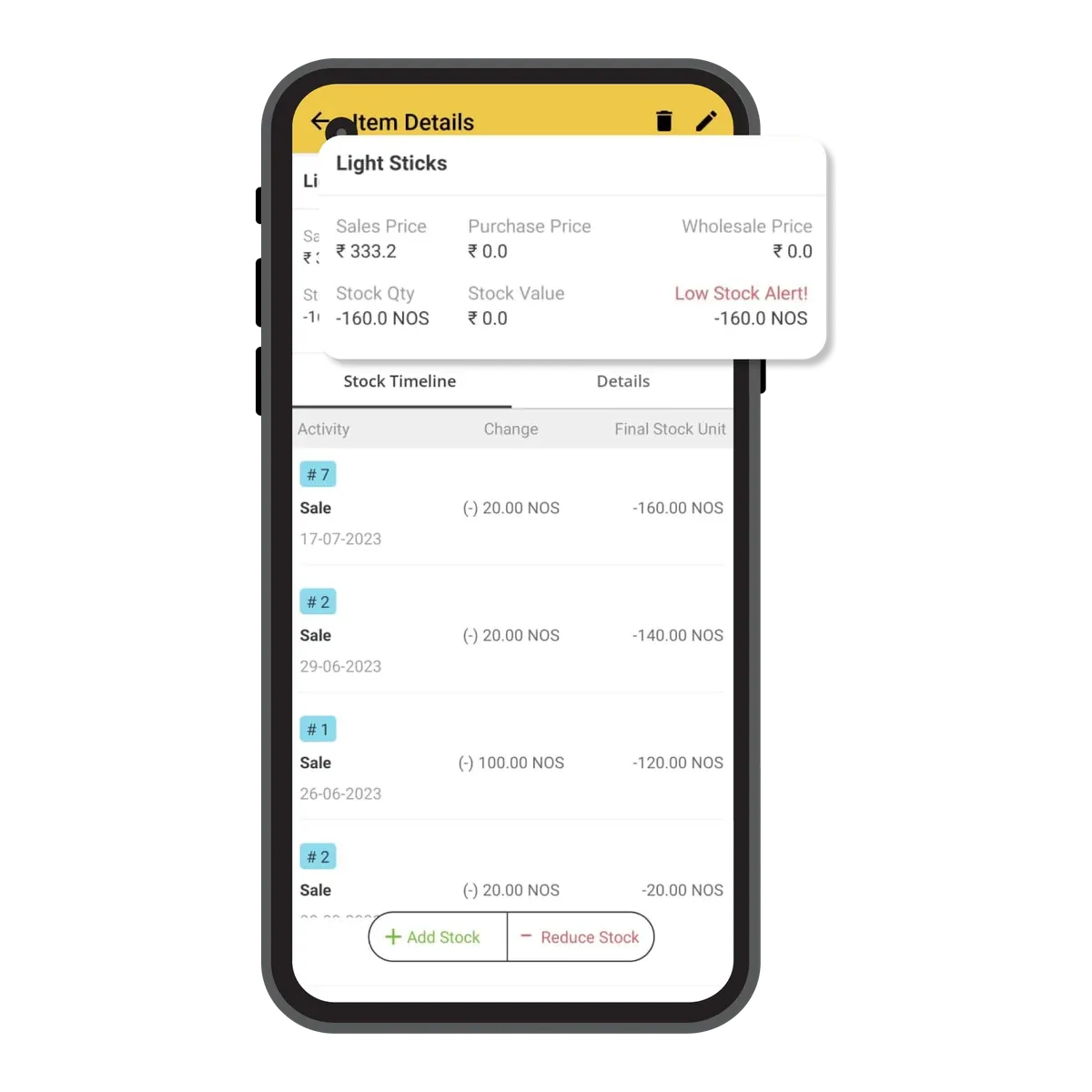
Know what your stock is worth
Work out the value of your stock at purchase or sale. Set prices as you see fit, and add wholesale prices for bulk quantities in a snap.
Categories
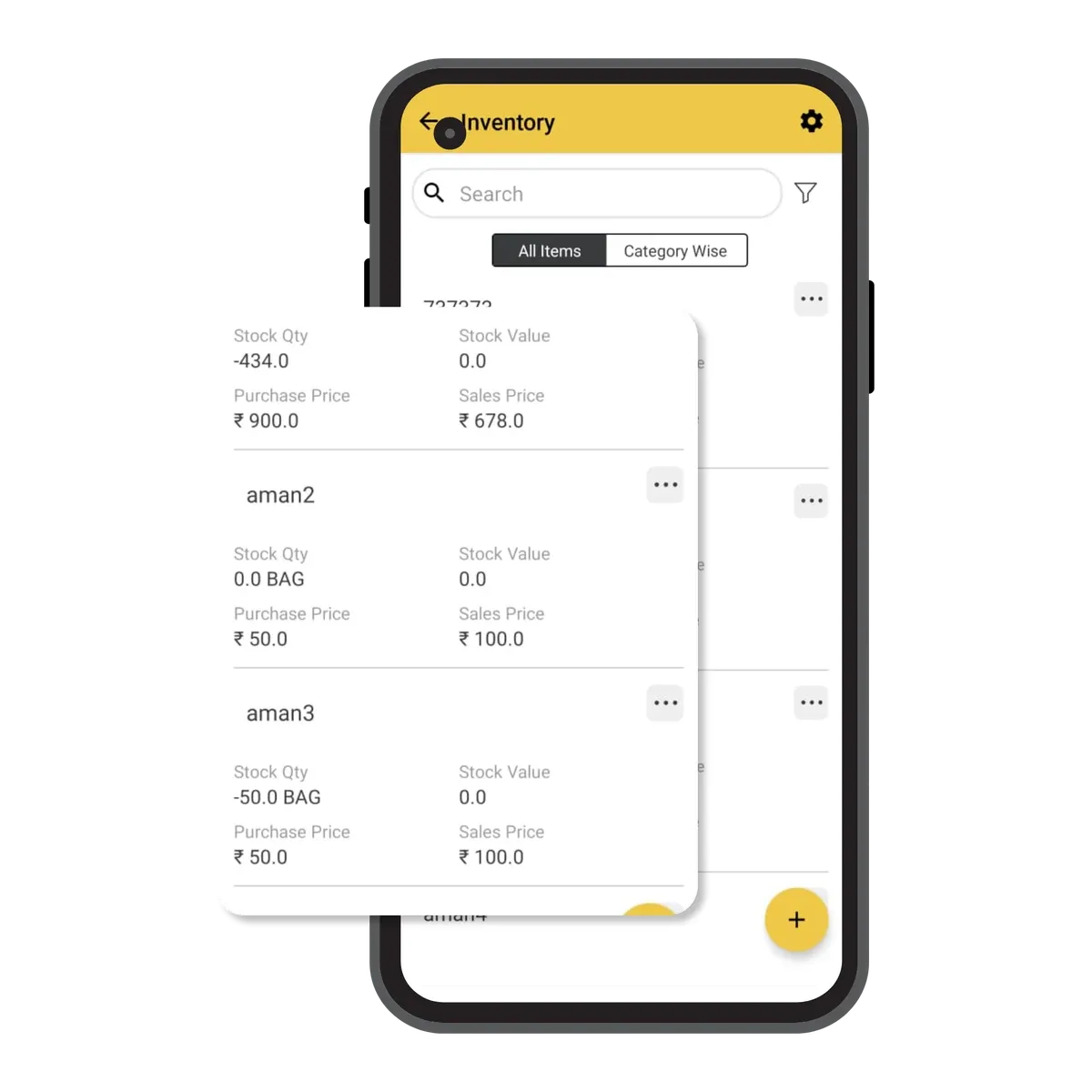
Categorise, filter and update stock in bulk
Give every product a category, filter and sort items by name or quantity, and update stock for many items at once.
Why GimBooks for inventory
Start maintaining your stock seamlessly
-
Inventory reports
See what's in stock, what's selling and what needs your attention, and decide with confidence.
-
Low-stock alerts
Set alerts based on how each item sells, so you restock in time and never miss an order.
-
Scan item codes
Scan an item number or code to find and track the item in seconds.
-
Stock from the invoice
Track stock right from the invoice as well as from the inventory screen.
-
Inventory on the move
Office, client site or holiday: your inventory is a click away on the app and the web.
-
Preview, download, share
Preview stock reports, download them as PDF and share them on any platform.
How it works
How to manage inventory in GimBooks
- 01
Add your items
Enter item details such as description, HSN, price, manufacturer, manufacturing date and wholesale price.
- 02
Add or reduce stock
Update stock as goods come in and go out, so your inventory levels stay accurate.
- 03
Review by category
View your inventory by category to keep an eye on best sellers and on the stock you need to buy more of.
What business owners say
-
“I was hesitant to try a new billing app at first, but I'm so glad I gave GimBooks a chance. It's perfect for my small steel trading business. I can create professional-looking invoices with my company logo in seconds. It also helps me track my inventory and low stock alerts ensure I never run out of important supplies. The app is in Hindi too, which makes things even easier for me.”
AV Abhishek Verma Steel Trader
FAQ
Inventory questions, answered
Can't find what you need? Call us or write to our support team.
What is inventory management software?
Software that helps a business track, organise and optimise its stock: monitoring stock levels, handling purchases and sales, and producing reports for better decisions. GimBooks lets you create, edit, access, download and share your inventory on any device.
Why do I need inventory management software?
It tracks stock levels, lowers the risk of overstocking or running out, and shows you where to cut holding costs. That improves day-to-day efficiency and customer satisfaction.
What details can I add for an item in GimBooks?
Item name and description, HSN code, sale price, units, tax-inclusive or tax-exclusive pricing, GST rate, cess percentage and optional price details such as a wholesale price. You can also group items into categories and sort and filter them by name or time.
What can the GimBooks inventory do?
Manage inventory quickly, track current stock, set low-stock alerts based on item sales, categorise items in a click, filter and sort to save time, scan item numbers and codes, and keep a record of stock with inventory reports.
Is the GimBooks inventory feature easy to use?
Yes. It is a quick way to handle stock for both purchases and sales, and the documents that go with them.
Can I access my inventory on different devices?
Yes. Your inventory is kept in the cloud, so it is on the Android and iPhone apps and the web dashboard alike.
In which format can I download inventory reports?
As a PDF, which you can share on WhatsApp, email or any other platform.
Explore more GimBooks features
Every document is GST-ready and linked to the next, so nothing is typed twice.
- Invoicing GST and non-GST invoices with your logo, made in seconds and shared in a tap.
- E-invoicing Get the IRN and signed QR code for any invoice in one click.
- E-way bills Turn an invoice or challan into an e-way bill in one click.
- Quotations Send quotes, convert to invoices
- Proforma invoices Turn into a tax invoice in a tap
- Purchases Purchase bills, POs and vendors
- Delivery challans Original, duplicate and triplicate
- Credit notes Sales returns and corrections
- Debit notes Purchase returns and adjustments
- GSTR filing File GSTR-1 and 3B from the app
- Expenses Track spend by category
Take control of your stock with GimBooks
Items, stock value and low-stock alerts in one app. Every plan starts with a 7-day free trial.