Free download
Free purchase order format in Excel, Word & PDF
Create professional purchase orders for your suppliers. Record the items you are ordering, quantity, price, GST, delivery terms and payment terms before the purchase is completed.
- Excel, Word and PDF
- Free download
- GST fields included
Free downloads
Download free purchase order formats
Whether you run a small business, trading company, retail store, manufacturing unit or service business, a clear purchase order format reduces confusion between you and your supplier.
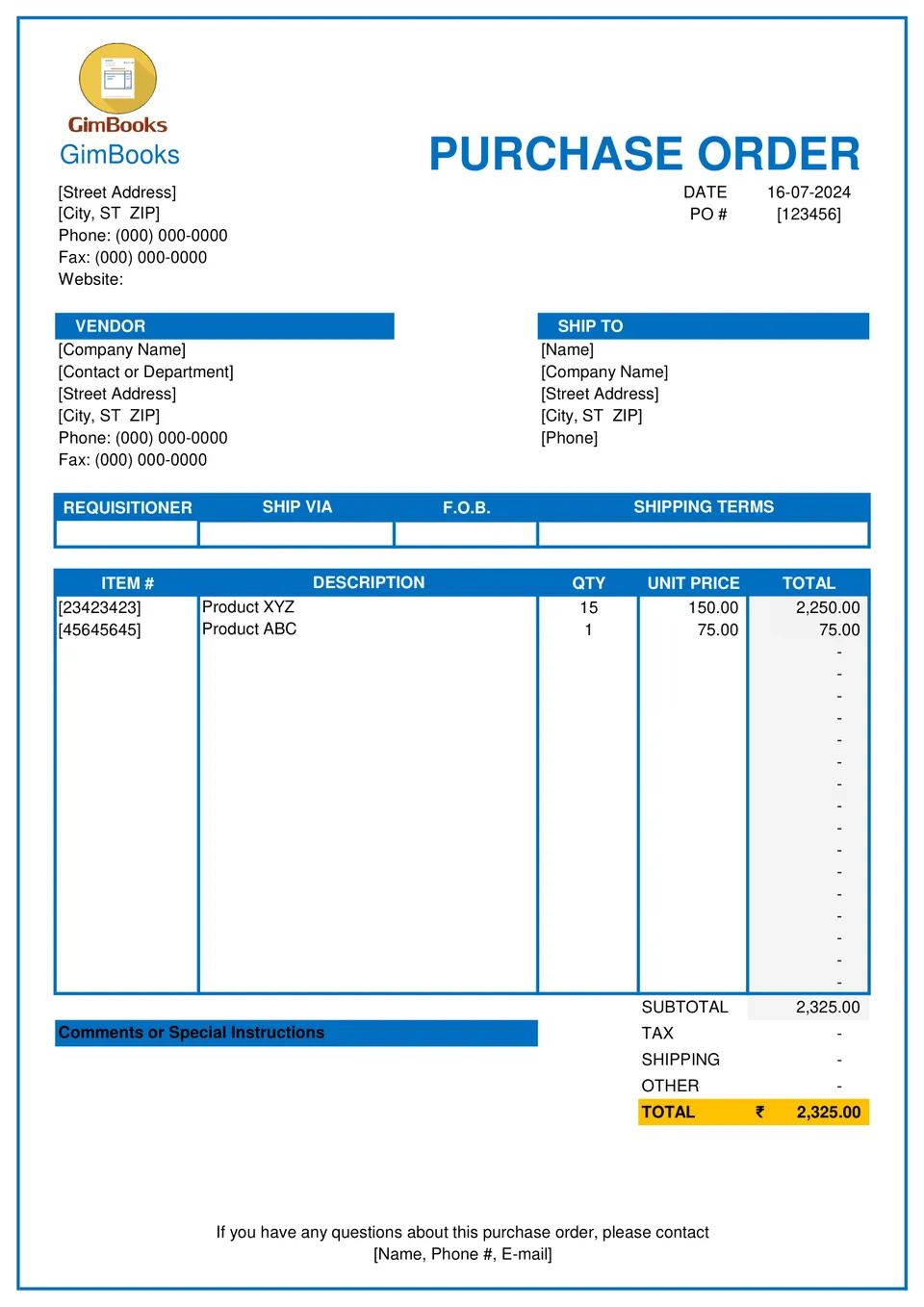
-
Purchase order format in Excel
A ready spreadsheet for the products you order from suppliers, with automatic calculations for totals. Best when item-level calculations and editable pricing matter.
Download Excel format .xlsx file · 26 KB -
Purchase order format in Word
An editable document with your business details, supplier information, a table for items, and space for subtotals, taxes and the total due. Good for custom PO letters.
Download Word format .docx file · 22 KB -
Purchase order format in PDF
A fixed layout listing the items you are ordering and the payment terms. Use it to send a non-editable PO to suppliers and keep a record.
Download PDF format .pdf file · 72 KB
Try GimBooks free for 7 days
Make purchase orders in seconds and manage all your billing with GimBooks.
What is a purchase order?
A purchase order, or PO, is a formal document a buyer issues to a supplier to confirm the goods or services they want to buy. It includes the item description, quantity, agreed price, taxes, delivery date, payment terms and supplier details.
A purchase order is usually created before the supplier delivers the goods or raises an invoice, so both sides agree on what has been ordered, at what price and on what terms.
Example: a business buying office furniture, raw materials, packaging supplies or services issues a purchase order before the supplier processes the order. Once accepted, the PO can later be matched with the supplier’s invoice.
Why use a purchase order?
- Clearly define items, quantities and agreed prices.
- Reduce errors between purchase requests and supplier orders.
- Keep delivery and payment terms on record.
- Make supplier communication easier.
- Keep organised purchase records for accounting.
- Build a consistent procurement workflow.
Excel, Word or PDF: which purchase order format should you use?
The right format depends on how you create, calculate, edit and share your purchase orders.
| Format | Best for | Editable | Automatic calculation | Recommended use |
|---|---|---|---|---|
| Excel | Calculating quantity, GST and totals | Yes | Yes | Purchase orders with item-level calculations |
| Word | Simple editable PO documents | Yes | No | Custom PO letters and supplier communication |
| Final sharing and record keeping | Limited | No | Sending a non-editable PO to suppliers | |
| GimBooks | Regular purchase order management | Yes | Yes | PO creation, tracking and business records |
- Choose Excel when item-level calculations and editable pricing matter.
- Choose Word or PDF when you need simple editing or a final document to share.
- Choose GimBooks when purchase orders need to be created, managed and tracked regularly.
Purchase order guide
How to create a purchase order in Excel
Use a structured template and enter every purchase detail carefully.
- 01
Add buyer details
Your business name, address, contact number, email and GSTIN where applicable. These identify the buyer issuing the PO.
- 02
Add supplier details
The supplier’s name, address, contact details and GSTIN, so the order goes to the right vendor.
- 03
Enter PO number and date
A unique purchase order number and the PO date. Use a consistent numbering series so orders are easy to track.
- 04
Add item or service details
Item name, description, HSN/SAC code, quantity, unit price and any discount. Match them to the supplier’s quote.
- 05
Calculate GST and total
Add the GST rate and work out the taxable value, GST amount and final purchase order value.
- 06
Add delivery and payment terms
Delivery date, delivery location, payment terms and any special purchase conditions.
- 07
Review and share the PO
Check every detail before sending. Save the final copy as PDF to send a non-editable version.
Tip: check your GST with the free GimBooks GST calculator, and review the supplier, item, GST, delivery and payment details before you send the final purchase order.
GST details to include in a purchase order
If the order covers taxable goods or services, add the GST details clearly. They help the supplier raise the right tax invoice later.
| GST field | Why it matters |
|---|---|
| Buyer GSTIN | Identifies the registered buyer to the supplier. |
| Supplier GSTIN | Confirms the vendor’s GST registration. |
| HSN / SAC code | Classifies the goods or services for GST. |
| GST rate | Used to calculate the tax amount. |
| Taxable value | The value before GST. |
| CGST & SGST | For intrastate purchases. |
| IGST | For interstate purchases. |
| Total amount | The final order value including tax. |
Unsure about an HSN code? Search it with the free GimBooks HSN finder.
Purchase order vs invoice vs quotation
These documents are connected, but each is used at a different stage of buying and selling.
| Document | Issued by | Purpose |
|---|---|---|
| Quotation | Seller / supplier | Shares estimated prices before the order is confirmed. |
| Purchase order | Buyer | Confirms the order details to the supplier. |
| Invoice | Seller / supplier | Requests payment after a sale or supply. |
| Delivery challan | Seller / supplier | Records the movement of goods where an invoice may not be issued immediately. |
How these documents work together
Quotation → purchase order → delivery challan → invoice. Using the right document at each stage keeps your purchase, billing and GST records clean.
Beyond templates
Create and manage purchase orders with GimBooks
Free templates work for occasional supplier orders. If you create purchase orders regularly, manage vendors or track inventory, GimBooks gives you professional POs in your business colours and a connected purchase and billing workflow.
What you get in GimBooks
- Create professional purchase orders
- Manage supplier and item records
- Track purchases and billing documents
- Keep GST-ready business records
- Less manual spreadsheet work
- Purchase and billing data on web and mobile
FAQ
Purchase order format FAQs
Can't find what you need? Call us or write to our support team.
What is a purchase order?
A purchase order is a formal document issued by a buyer to a supplier to confirm the goods or services being ordered. It includes item description, quantity, price, tax, delivery date and payment terms.
Can I download a purchase order format in Excel for free?
Yes. Download the free purchase order format in Excel and customise it with your business name, supplier details, item list, quantity, price, GST and total amount.
What is the difference between a purchase order and an invoice?
A purchase order is issued by the buyer before the purchase is completed. An invoice is issued by the supplier after goods or services are supplied, to request payment.
What is the difference between a purchase order and a quotation?
A quotation is shared by the supplier with estimated pricing. A purchase order is issued by the buyer to confirm the order at the agreed price and terms.
What details should a purchase order format include?
Buyer details, supplier details, PO number, PO date, item description, quantity, rate, GST details, total amount, delivery date, payment terms and authorised approval.
How do I create a purchase order in Excel?
Add buyer and supplier details, enter a unique PO number, list the items or services, add quantity and rate, calculate GST and the total amount, mention delivery terms and save the final file.
Is a purchase order legally binding?
A purchase order may become legally binding once the supplier accepts it, depending on the agreed terms and business arrangement. State important terms such as price, quantity, delivery and payment clearly.
What is a purchase order form?
A purchase order form is a structured document that captures order details such as supplier name, item description, quantity, price, tax, delivery address and payment terms.
What is an LPO format?
LPO stands for Local Purchase Order. An LPO format is used to issue purchase orders to local suppliers, usually for goods or services bought within the same region or business area.
Can I create GST purchase orders with GimBooks?
Yes. GimBooks helps you create and manage purchase records, supplier details and GST-ready billing documents in one place.
Free formats
More free business document formats
Ready-to-use templates for the rest of your billing, buying and shipping paperwork.
-
GST invoice format
Bill goods and services with GSTIN, HSN/SAC, tax split and totals.
-
E-invoice format
Use an e-invoice format for IRN-linked GST invoice workflows where applicable.
-
Proforma invoice format
Share estimated billing details with customers before issuing the final invoice.
-
Quotation format
Create professional GST quotations in Excel, Word or PDF before confirming a sale.
-
Delivery challan format
Record goods movement where an invoice is not issued immediately.
-
Credit note format
Record sales returns, price reductions or invoice corrections with a credit note.
-
Debit note format
Document additional charges, upward price revisions or debit adjustments clearly.
-
E-way bill format
Prepare e-way bill details for goods movement, transport and compliance records.
Manage purchases and billing with GimBooks
Purchase orders, bills and supplier records in one app. Every plan starts with a 7-day free trial.

