GimBooks for iPhone & iPad
Billing software for iOS
Create invoices, manage payments and track your finances from your iPhone or iPad. No laptop and no complicated setup, just simple billing on the go.
- Needs iOS 16.6 or later
- 7-day free trial
- Syncs with the web dashboard
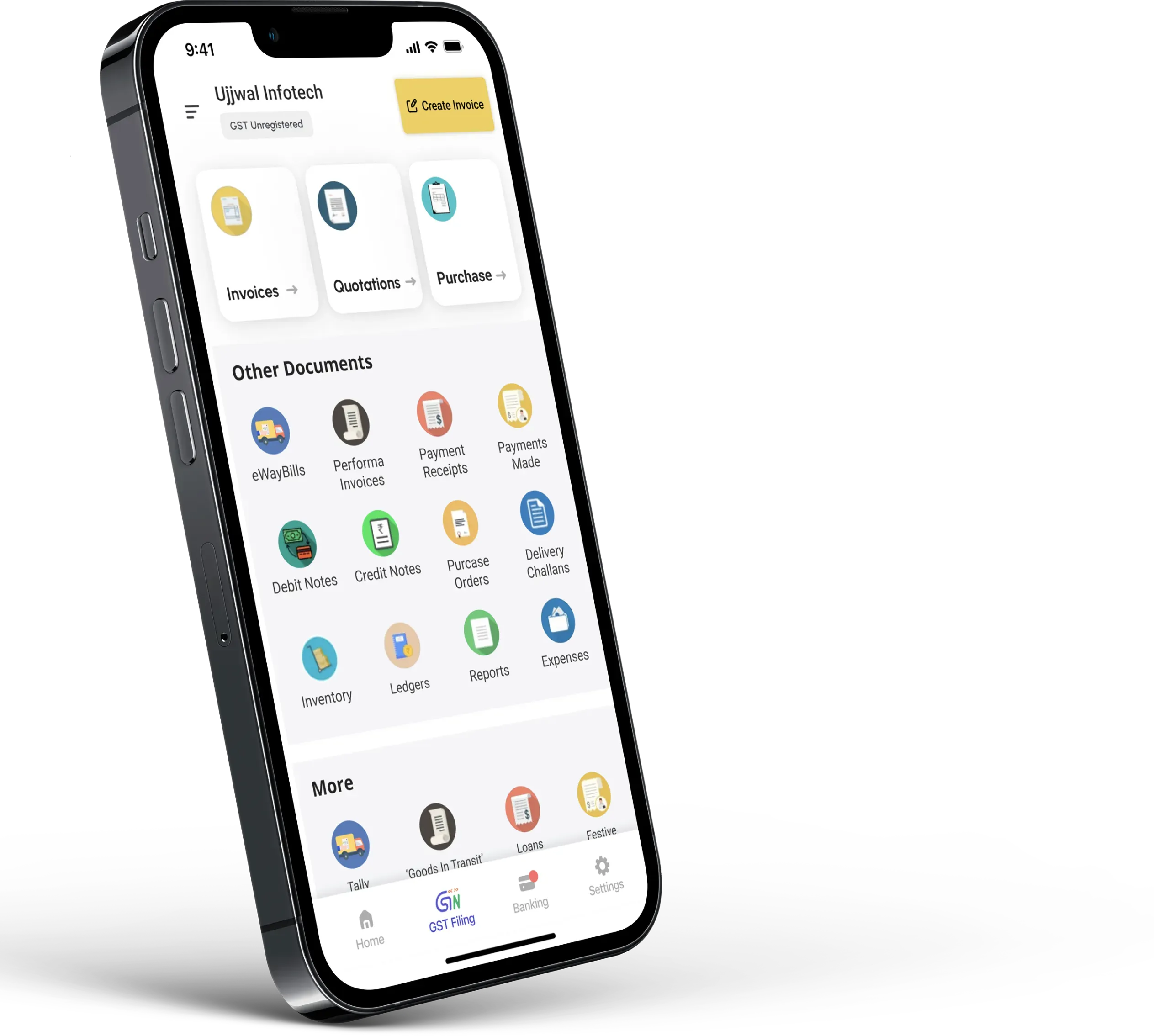
Create invoices in seconds
Enter your client’s details, add products or services and taxes, and you are done.
- Save invoice templates for repeat use.
- Error-free totals and tax on every bill.
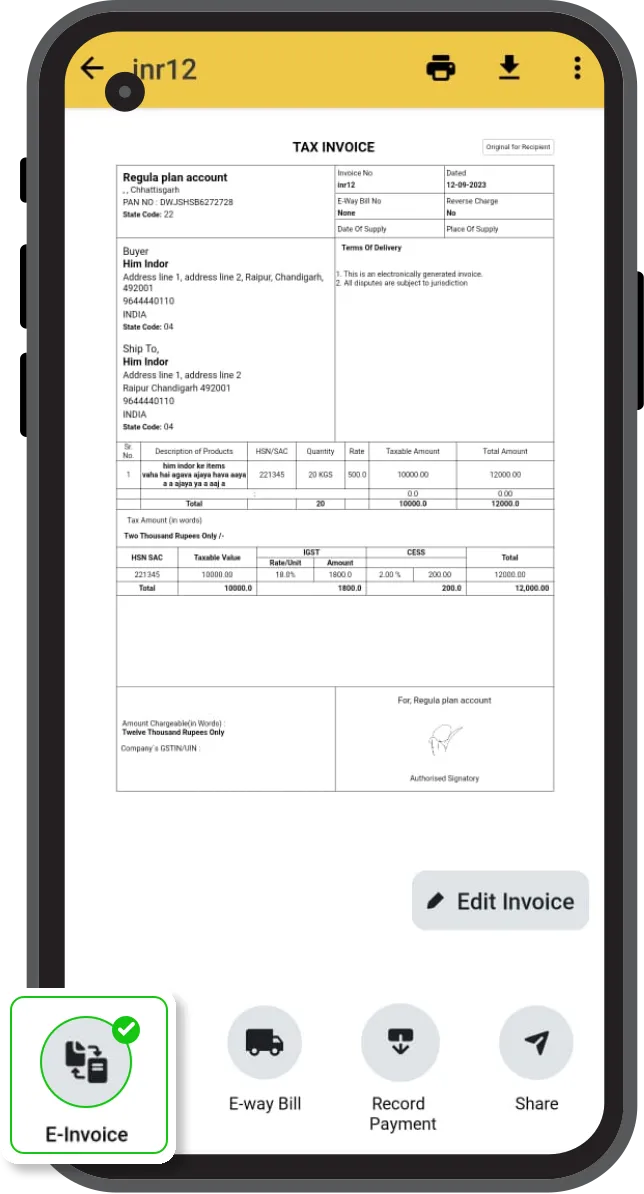
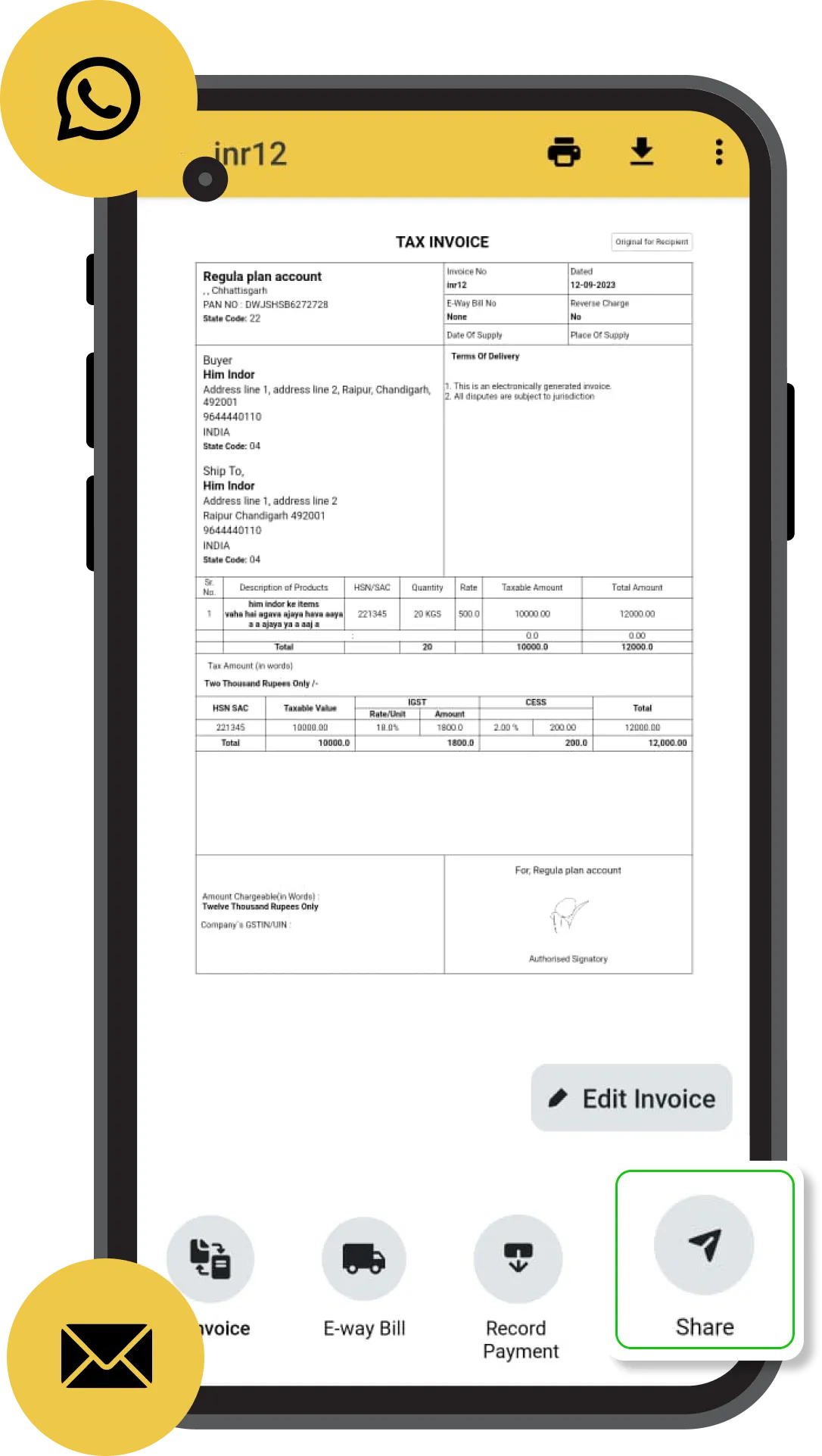
Send invoices or download them on iPhone
Skip the paperwork: share invoices on WhatsApp or email, or save a PDF for your records.
- Know when an invoice is opened.
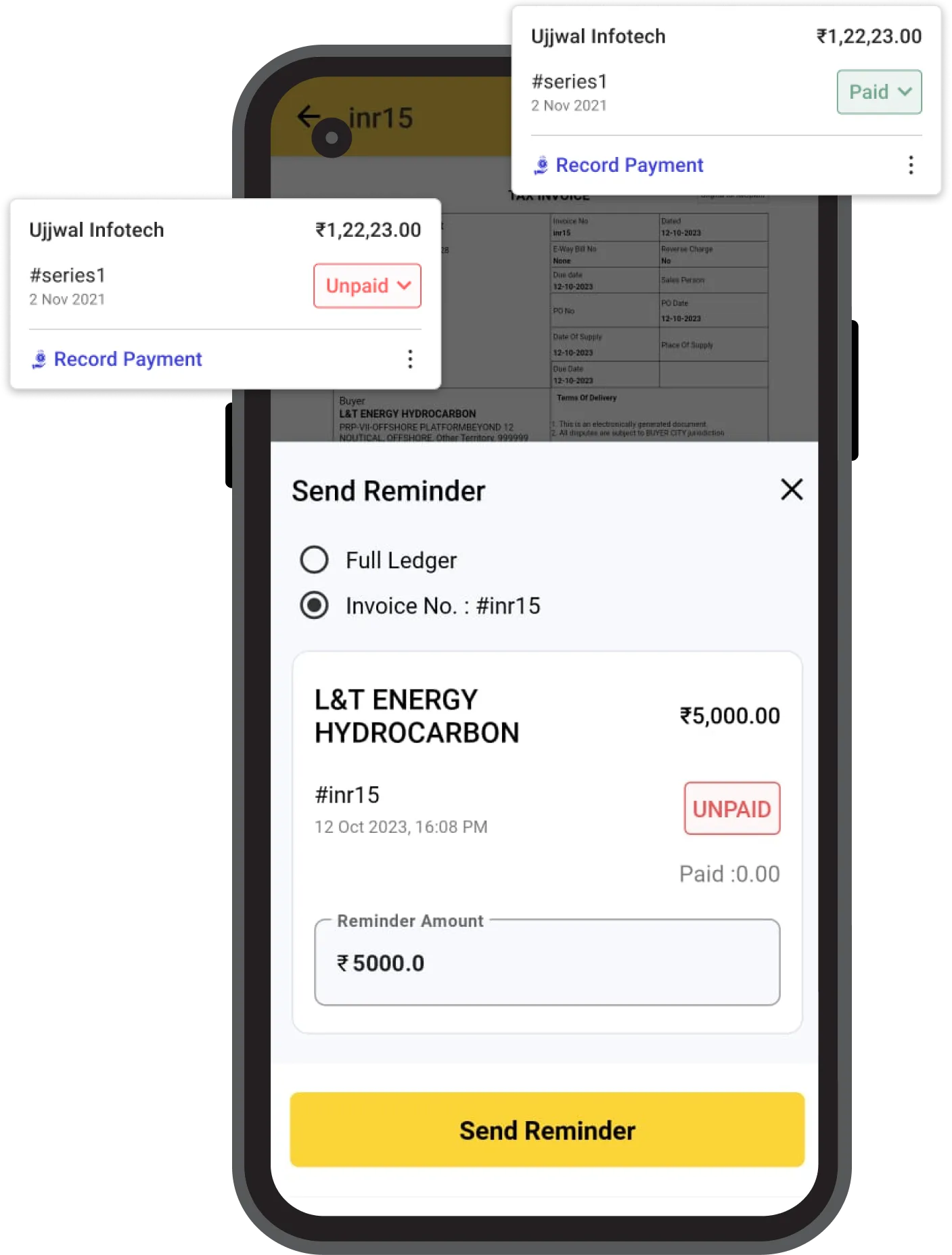
- Send follow-ups and stay on top of pending payments.
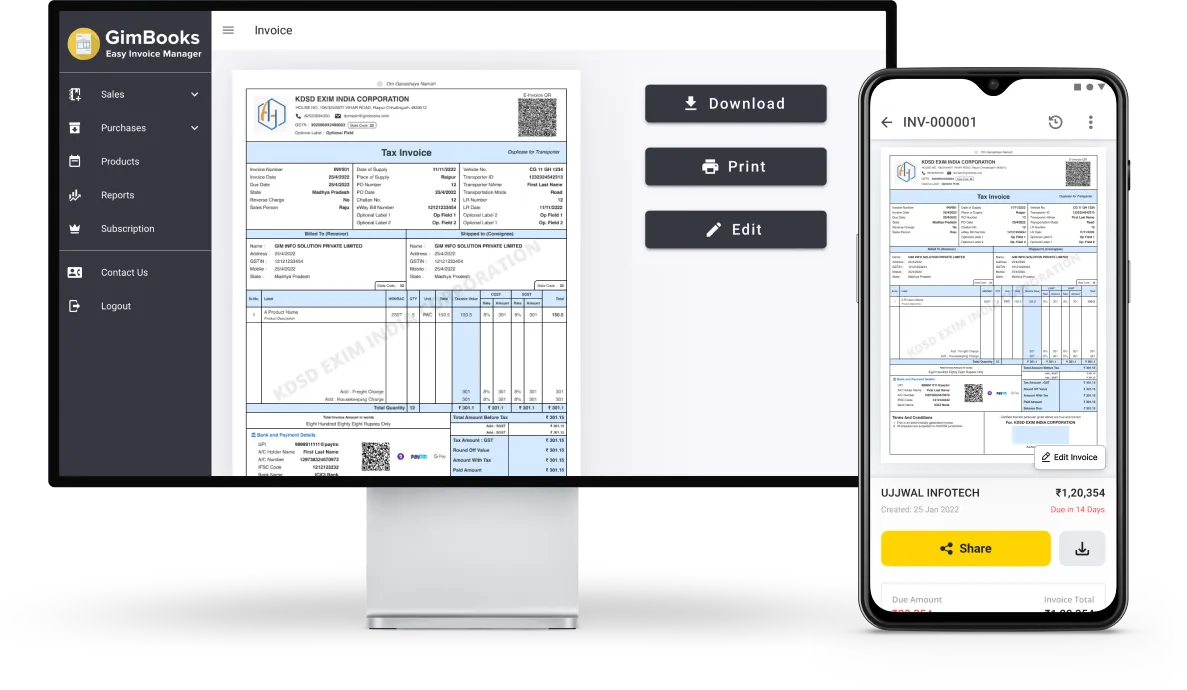
Everything on your iPhone and iPad
Built for iPhone and iPad users, whether you are at the office, with a client or on the move.
- Data synced and backed up in the cloud.
- Reports, invoices and payment history wherever you are, including the web dashboard.
Track outstanding payments
Automatic reminders tell clients about due and overdue bills.
- See unpaid invoices at a glance.
- Keep cash flow healthy without manual follow-ups.
Why GimBooks
Why use GimBooks on your iPhone
Run your billing and payments from your iOS device.
-
Save time with automation
Calculations, invoice creation and payment tracking are automated, so admin takes less of your day.
-
Designed for iOS
Made for iPhone and iPad, with a fast, intuitive experience that feels at home on Apple devices.
-
Download bills anytime
Save any invoice as a PDF on your iPhone in one tap, for your records or your client.
-
Safe and secure
Your billing data is stored safely in the cloud, so you never lose access to your files.
-
Fully customisable
Add your logo, terms and invoice formats so every bill reflects your brand.
-
Same books everywhere
Your iPhone, iPad, Android phone and the web dashboard share the same books, synced through the cloud.
Get started
Start billing on your iPhone
No laptop needed. You can be billing in a few minutes.
- 01
Download from the App Store
Get GimBooks (GST Invoice Manager) from the App Store on an iPhone or iPad running iOS 16.6 or later.
- 02
Add your business
Enter your business name, GSTIN and logo once; they appear on every bill.
- 03
Create your first invoice
Bill a customer and share it on WhatsApp, or save it as a PDF.
GST, end to end
More ways GimBooks helps your business
Beyond billing, the iPhone app handles the rest of your GST work.
-
E-invoicing
Get the IRN and signed QR code for any invoice in one click, and cancel within 24 hours from the app.
Learn more -
E-way bills
Turn an invoice or challan into an e-way bill in one click, and update the vehicle number on the go.
Learn more -
GSTR filing
File GSTR-1 in three steps, and GSTR-3B, from the sales and purchases already in GimBooks.
Learn more -
Inventory
Stock updates with every sale and purchase, with low-stock alerts before you run out.
Learn more
Does your accountant use Tally? Sync your vouchers to Tally, so your books stay up to date without typing anything twice.
Customer reviews
Shop owners, traders and manufacturers run on GimBooks
-
“Running a mobile shop can get hectic, especially with billing and keeping track of stock. Ever since I started using the GimBooks app, things have become much simpler! This billing and invoicing software is in Hindi, which makes it very easy to use. Now, billing customers and managing my inventory takes half the time! I can even generate reports to see which phones are selling the most, which helps me stock up better. Overall, GimBooks is a lifesaver for any mobile shop owner.”
AA Ashish Agarwal Mobile Retailer -
“In the jewellery business, accuracy and trust are important. Thankfully, GimBooks has helped me achieve both with customers! This billing and invoicing software lets me create detailed bills for each piece of jewellery, including weight, design, and material. It also helps me manage customer accounts and track sales. With GimBooks, I can ensure all my billing is accurate and I can file gst too from the app. It's a great billing and invoicing software for any jewellery business owner.”
RP Mrs. Radha Patel Jewellery Business Owner -
“Since using GimBooks, managing my spice business has become much more efficient. The e-invoice generator saves me time, and the updated reports give me valuable insights into my sales.”
RM Rajeev Malhotra Spice Wholesale -
“As a pharma company owner, managing bills and invoices for various medicines can be a real headache. But, GimBooks has been a game-changer for me! This user-friendly app lets me create bills quickly and keeps track of all my sales data. It even helps me maintain separate accounts for the different pharmacies I supply to. What's more, I can access GimBooks from my phone anywhere, anytime. It's a fantastic billing and invoicing software that has made my life much easier.”
VS Vikram Singh Pharma Manufacturer -
“I love that GimBooks has party-wise reports, sales-wise reports, stock-wise reports, and more. It helps me to manage my cloth bundle easily with the supplier. This billing and invoicing software lets me create custom invoices for different types of fabrics and keeps track of my production and sales data. It's also easy to manage accounts for different retailers I supply to. The app is a great all-in-one solution for small businesses like mine.”
PM Pradeep Malhotra Textile Manufacturer -
“I was hesitant to try a new billing app at first, but I'm so glad I gave GimBooks a chance. It's perfect for my small steel trading business. I can create professional-looking invoices with my company logo in seconds. It also helps me track my inventory and low stock alerts ensure I never run out of important supplies. The app is in Hindi too, which makes things even easier for me.”
AV Abhishek Verma Steel Trader
FAQ
GimBooks on iOS: your questions
Can't find what you need? Call us or write to our support team.
Which iPhones and iPads does GimBooks work on?
GimBooks works on iPhones running iOS 16.6 or later and iPads running iPadOS 16.6 or later.
Can I download bills on my iPhone?
Yes. Download invoices as PDF files straight to your iPhone to keep or share.
Can I track payments in the app?
Yes. Track due payments, send reminders and mark invoices as paid in the app.
Can I create e-invoices and e-way bills on my iPhone?
Yes. The iPhone app creates and shares e-invoices, e-way bills and delivery challans, and you can file GSTR-1 and GSTR-3B from it.
How do I start using e-invoicing in GimBooks?
Link your e-invoice (IRP) credentials in GimBooks once. After that, you can get the IRN and QR code for any invoice in one click.
What are the benefits of e-invoicing?
E-invoices cut printing, postage and storage costs and remove manual errors. They reach customers instantly, which helps you get paid sooner, they are easy to store and search, and they are authenticated by the government’s Invoice Registration Portal (IRP), which keeps you compliant.
Is the app secure?
Yes. Your data is stored securely in the cloud with regular backups.
Can I customise my invoice template?
Yes. Add your logo and company details, and choose from different invoice styles.
Can I use the same account on Android or a computer?
Yes. The same account works on Android and the web dashboard, and your data stays in sync.
Billing software for other businesses
See how GimBooks works for other trades and devices.
Bill from your iPhone today
Download GimBooks from the App Store. Every plan starts with a 7-day free trial.
Using Android? Get GimBooks on Google Play