Credit notes
Adjust your credit notes on the go
Credit notes keep your books straight. Use GimBooks to fix billing errors and record sales returns with a clear trail of every adjustment, which builds trust and protects you if there is ever a dispute.


- Sales returns in one list
- Real-time account updates
- Your logo and branding
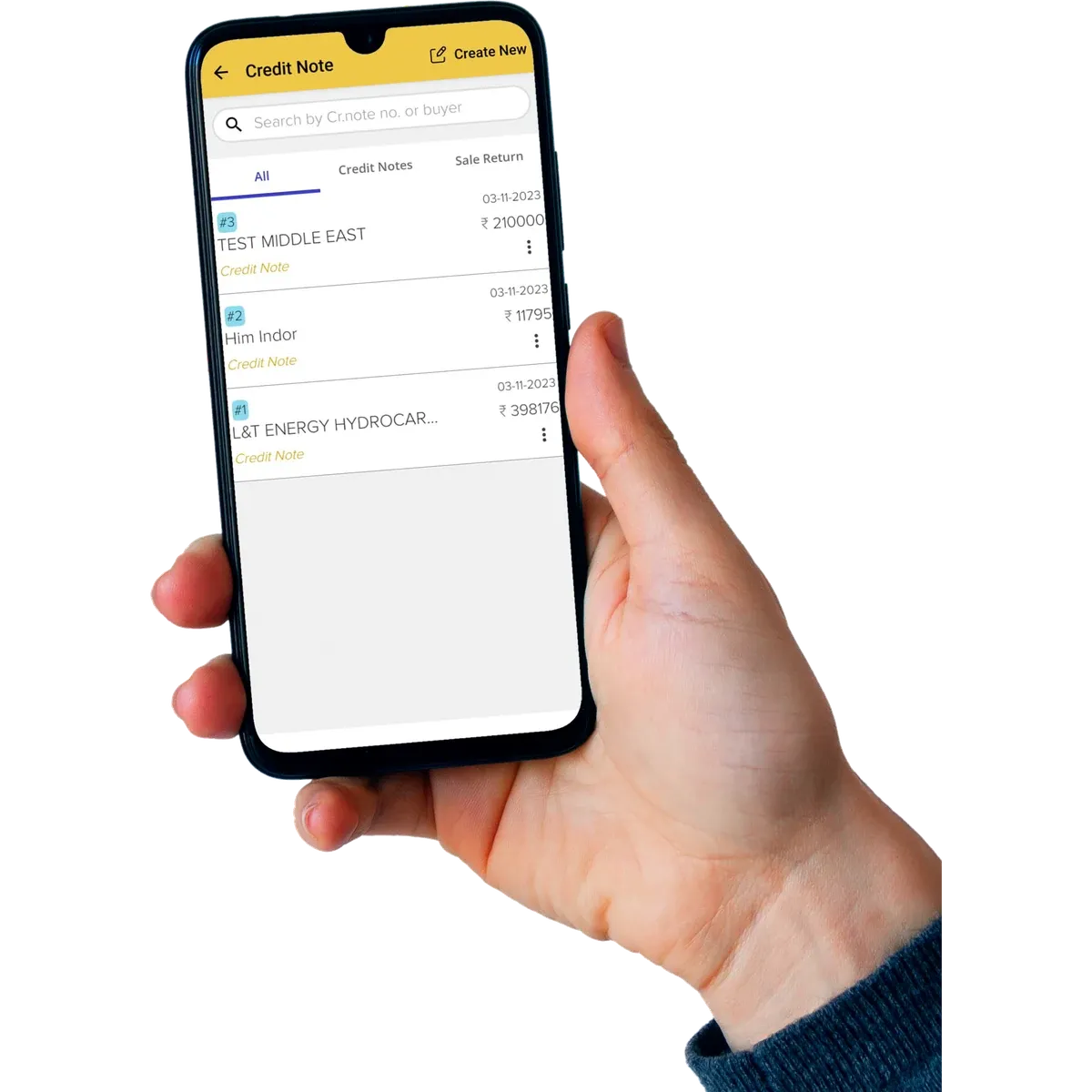
Sales returns
Manage sales returns and track credit balances
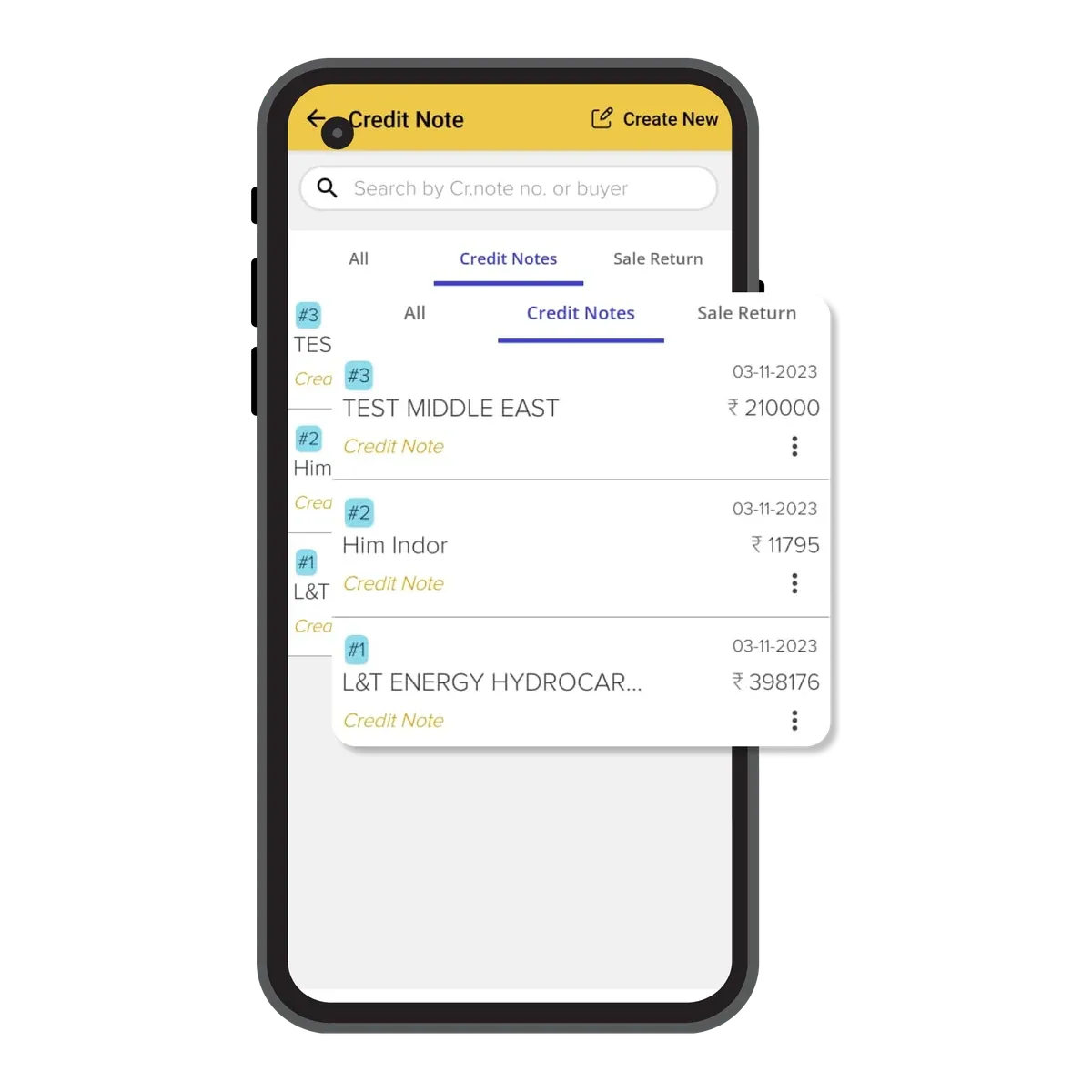
Correct a past invoice for an overcharge, a product return or any other adjustment. Credit notes and sales returns sit in one list, so your financial records stay accurate.
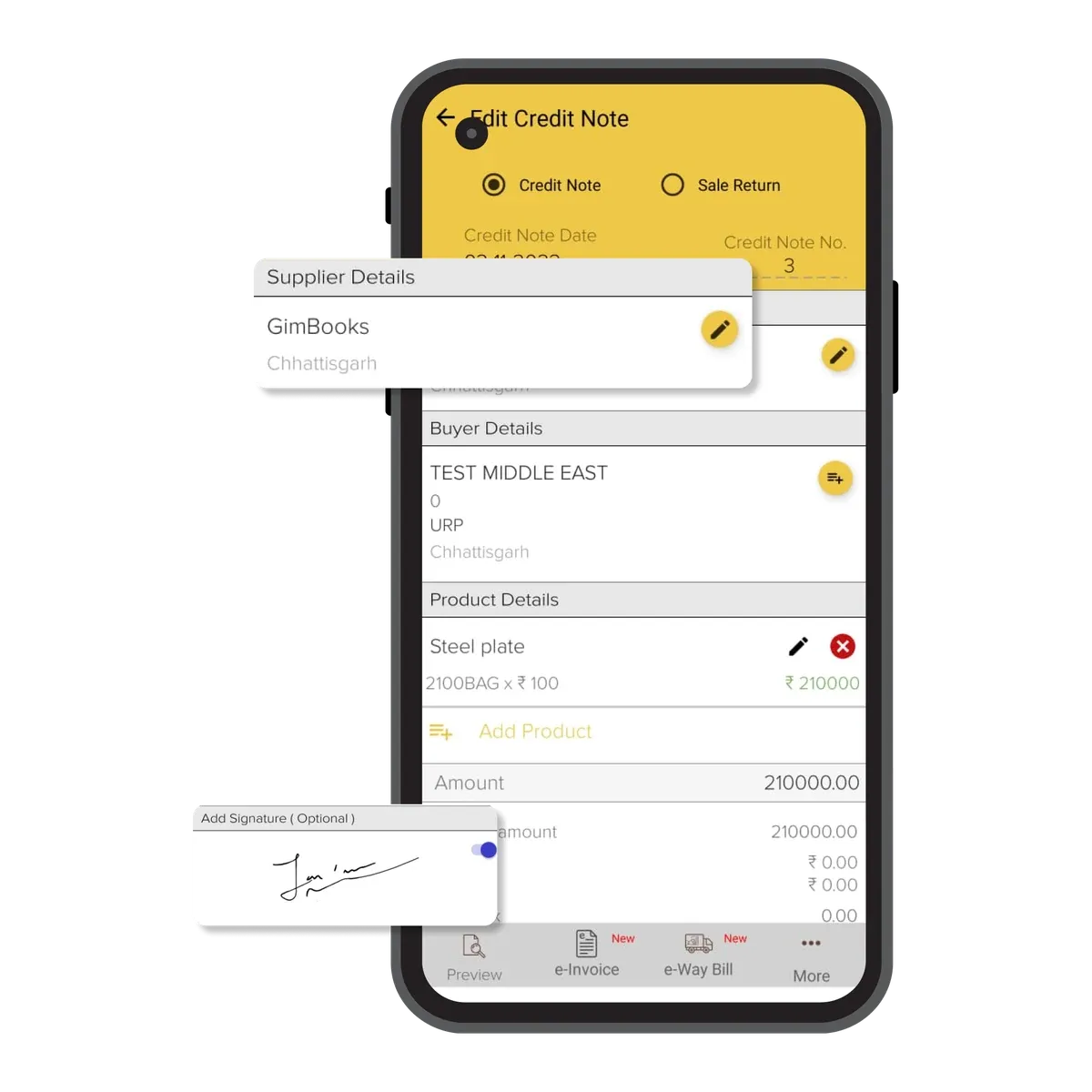
Customise
Make every credit note your own
Add buyer, product and transport details, your signature and your branding. A credit note that matches your business identity keeps every conversation with the customer clear, and changes update your accounts instantly.
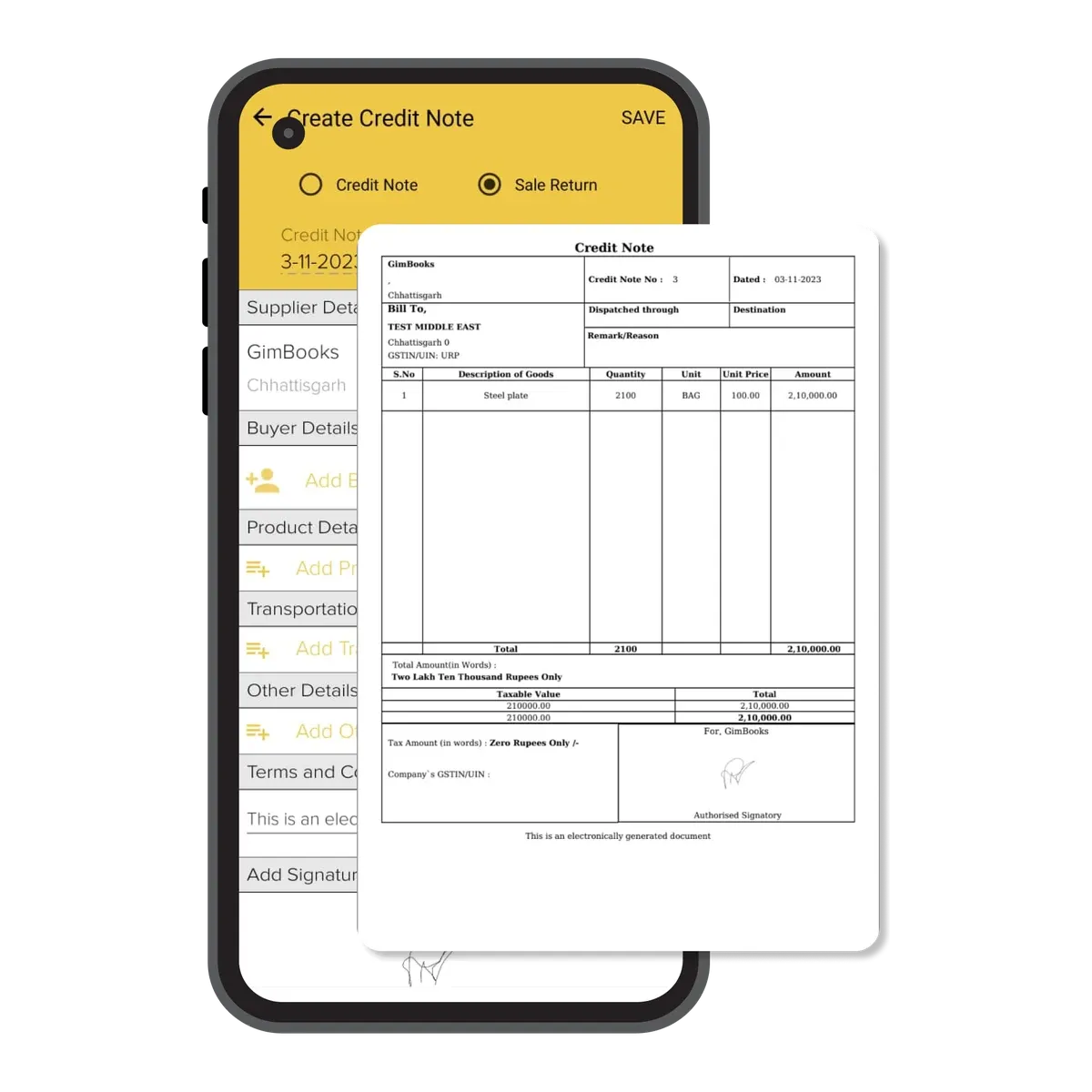
Business relations
A clear record that keeps customers on your side
A credit note gives buyer and seller a clear, concise record of every change to the amount owed. That transparency reduces disputes and builds trust with your customers.
Why GimBooks for credit notes
Billing adjustments, your way, anywhere you go
-
Real-time updates
Make adjustments and corrections instantly and keep your financial records up to date.
-
Record payments
Record outstanding payments against a credit note and track them by its number at the top right.
-
Edit after the preview
Spotted a mistake? Edit an inaccurate credit note even after you have previewed it.
-
Find any note fast
Search by credit note number or buyer name at the top of the list.
-
Download and share
Download the credit note as a PDF and share it on email, WhatsApp or any platform.
-
Secure by default
GimBooks is protected with SSL encryption, so the business details you enter stay between you and us.
How it works
How to create a credit note in GimBooks
- 01
Start a credit note
Create a new credit note, or record a sale return, and pick the buyer.
- 02
Describe goods and charges
Add the goods and charges, so the buyer sees the exact details of the return or adjustment.
- 03
Share and find it later
Share the PDF, then find it any time by searching the credit note number or the buyer name.
FAQ
Credit note questions, answered
Can't find what you need? Call us or write to our support team.
What is a credit note?
A credit note, also called a credit memo, is a document a seller issues to a buyer to adjust an invoice already sent, usually to lower the amount the buyer owes. It is common in business-to-business sales but is used with consumers too.
When should I issue a credit note?
When a previous invoice needs correcting in the buyer’s favour: an overcharge, goods returned by the buyer, a refund, or another error or adjustment on the invoice.
Do I need to issue credit notes as an MSME or SME?
Yes. Credit notes help small businesses keep their accounts accurate, transparent and compliant, because they fix errors and document every change to a transaction.
What should a credit note include?
The seller's and buyer's names and contact details, the date of the credit note, a unique reference number, the number of the invoice being adjusted, product and transport details, a description of and reason for the adjustment, and the amount.
Should I add my business details and branding to credit notes?
It is highly recommended. Your logo and branding add a professional touch and reinforce your brand identity.
How can GimBooks credit notes help my business?
GimBooks makes credit notes quick to create for any business, from MSMEs to larger SMEs. It streamlines adjustments, keeps records error-free, updates your accounts in real time and lets you match notes to your branding.
Is my financial data secure in GimBooks?
Yes. GimBooks is protected with SSL encryption and has measures in place to prevent unauthorised access, so your financial information stays confidential.
How do I get started with credit notes in GimBooks?
Sign up on the GimBooks web dashboard or download the app from Google Play or the App Store. Every GimBooks Premium plan starts with a 7-day free trial.
What is the difference between a credit note and a debit note?
Both adjust the amount owed on an earlier invoice. A credit note is issued by the seller and lowers what the buyer owes, for example after a sales return, an overcharge or an error on the invoice. A debit note is usually issued by the buyer to the seller for a purchase return: goods that were damaged, defective or not as described, a service that was not delivered as agreed, or an invoice error. In GimBooks, credit notes sit with your sales returns and debit notes with your purchase returns.
Explore more GimBooks features
Every document is GST-ready and linked to the next, so nothing is typed twice.
- Invoicing GST and non-GST invoices with your logo, made in seconds and shared in a tap.
- E-invoicing Get the IRN and signed QR code for any invoice in one click.
- E-way bills Turn an invoice or challan into an e-way bill in one click.
- Inventory Stock updates itself with every sale and purchase.
- Quotations Send quotes, convert to invoices
- Proforma invoices Turn into a tax invoice in a tap
- Purchases Purchase bills, POs and vendors
- Delivery challans Original, duplicate and triplicate
- Debit notes Purchase returns and adjustments
- GSTR filing File GSTR-1 and 3B from the app
- Expenses Track spend by category
Handle returns and corrections with GimBooks
Credit notes, sales returns and payments in one app. Every plan starts with a 7-day free trial.